
How to Set Up Your First Crypto Wallet Safely (Hot vs Cold, Seed Phrase Rules, Common Traps)

If you’re new to crypto, here’s the truth that matters most: your wallet is your control. Not your exchange login, not an app password. The thing that controls your funds is the private key (and the backup words that can recreate it).
That’s empowering, and also a little scary, because there’s no “forgot my password” button on the blockchain. Mistakes can be permanent, and scammers know beginners are still learning the ropes.
This guide will help you set up your first crypto wallet safely, without turning it into a complicated project. You’ll learn how hot wallets and cold wallets differ, how seed phrases actually work (and the rules that prevent most disasters), plus the most common traps that drain beginner wallets.
Key Takeaways
- A crypto wallet controls funds through a private key, and a seed phrase can fully restore that key, there is no password reset on blockchains.
- Hot wallets stay online and are best for small balances and daily use, cold wallets keep keys offline and are best for long-term holding and larger amounts.
- Keep a small “checking” balance in a hot wallet, and keep “savings” in a cold wallet to limit damage from phishing, malware, or bad approvals.
- Protect your seed phrase by keeping it offline (paper or metal), never sharing it, and never storing it as a photo, screenshot, or cloud note.
- Before sending meaningful funds, do a tiny test transfer and confirm the receiving address and network to prevent irreversible mistakes.
Hot vs cold wallets: pick the right setup for how you will actually use crypto
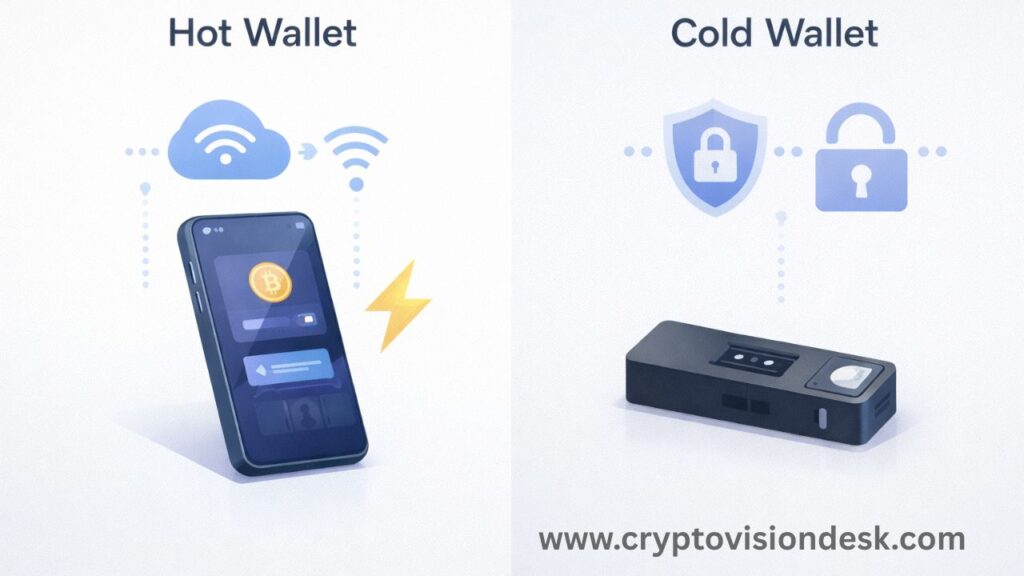
A crypto wallet is not a place where coins “sit” like a bank account. It’s more like a keychain that lets you access and move your funds on a blockchain. The big decision is where those keys live.
A hot wallet is connected to the internet. Think mobile apps and browser extensions. They’re fast and convenient, which makes them great for learning, swapping small amounts, and using dApps. Popular beginner-friendly hot wallets in early 2026 include MetaMask, Trust Wallet, Exodus, and Coinbase Wallet. There are also newer “keyless” or MPC-style wallets like Bleap and Zengo that aim to reduce seed phrase mistakes by splitting key control in different ways.
A cold wallet keeps keys offline. Usually it’s a hardware device (or card) that signs transactions without exposing your private keys to your everyday internet-connected device. For beginners, common picks include Ledger Nano X, Trezor Safe 3, and Tangem. Cold storage adds friction, but that friction is often what saves you.
Here’s a quick way to think about it:
| Feature | Hot wallet (app/extension) | Cold wallet (hardware/card) |
|---|---|---|
| Best for | Learning, spending, dApps | Long-term holding, larger balances |
| Main risk | Phishing, malware, bad approvals | Physical loss, setup mistakes |
| Convenience | High | Medium to low |
| Cost | Usually free | Usually paid |
The best setup for most beginners is not “hot or cold.” It’s “hot plus cold,” each with a job.
A simple rule for beginners: keep a small “checking account” hot, keep savings cold
Treat your hot wallet like the cash in your pocket. It’s there to use, not to store your life savings.
A practical split looks like this:
- Hot wallet: small amounts you can afford to lose, used for swaps, NFTs, testing dApps, and learning.
- Cold wallet: larger amounts you’d be sick to lose, used for long-term holding.
The most common beginner mistake is keeping everything in one hot wallet “for convenience,” then connecting it to random sites, chasing airdrops, or installing a sketchy extension. One bad click, one bad approval, and the wallet can be emptied.
If you only want one wallet today, start hot with small funds and build good habits. When your balance grows past a level that would ruin your week, move savings to cold storage.
Read Also: Top 5 Hardware Wallets 2026 | Full Security & Price Guide
What to look for when choosing a wallet app or hardware device
Wallet choice matters less than wallet habits, but you still want a solid baseline. Use this checklist:
Supports your coins and networks: Make sure it supports the chains you’ll use (Ethereum, Solana, etc). Also confirm it supports the exact network version you plan to send on (more on that later).
Clear backup and recovery flow: A good wallet forces you to confirm backup words during setup. If it rushes you or hides the recovery step, skip it.
Good reputation and regular updates: Stick with wallets that are widely used and actively maintained (MetaMask, Trust Wallet, Exodus, Coinbase Wallet). If you try a newer MPC wallet like Bleap or Zengo, treat it like a learning wallet first.
Easy-to-verify transactions: For hardware wallets, a readable screen helps you confirm the address before signing.
Security basics: App lock, PIN, biometrics, auto-lock timer, and a clear way to verify addresses.
Buy hardware only from official sources: Hardware wallets should be purchased from the maker’s official site or an authorized seller. Never buy used hardware wallets. “Sealed” listings and “new in box” promises don’t protect you from tampering.
Set up your first wallet safely, step by step (and test it before you fund it)
Setting up a wallet safely is mostly about slowing down for 10 minutes and avoiding distractions. Don’t do it in a rush, and don’t do it in public.
A beginner-safe setup sequence looks like this:
- Install from the official source
Use the official website to click through to the real app store listing, or install the official browser extension. Avoid ads, sponsored results, and links from DMs. Lookalike apps are a top cause of stolen funds. - Create a new wallet (not “import”)
If it’s your first wallet, create fresh keys. Importing a seed phrase should be rare and deliberate. - Write down your recovery words carefully
You’ll see 12 or 24 words (unless you’re using a keyless MPC wallet). Write them down offline, out of view of cameras and people. Keep your screen private. - Confirm the words in the wallet
Many wallets ask you to tap the words in order. This step catches mistakes while they’re still fixable. - Turn on an app lock and set a strong device lock
Your phone unlock matters. If someone can unlock your phone, your wallet protections may not be enough. - Update your phone and wallet app
Updates patch real security issues. Don’t skip them, especially right after installing. - Do a tiny test transfer before moving real money
This step saves people daily from wrong-address and wrong-network errors.
Also, skip public Wi-Fi while setting up and funding a new wallet. If you must use Wi-Fi, use a trusted network you control.
Do a “tiny test” transfer, then a second one, before moving real money
Crypto transfers can’t be reversed. That’s great when you’re receiving funds, and awful when you send to the wrong place.
Before sending meaningful money to your new wallet, do this two-step test:
Tiny test: Send a very small amount (even a couple dollars). Wait for it to arrive.
Second test: Send another small transfer, or send a small amount back out. This confirms you can both receive and spend successfully.
Mini checklist before you hit send:
- Verify the address start and end: Compare the first 4 to 6 characters and the last 4 to 6 characters. Don’t rely on just the middle.
- Confirm the network: “Ethereum” is not the same as “Polygon,” and “Solana” is not the same as “BSC.” A lot of losses happen from choosing the wrong network at withdrawal.
- Wait for confirmation: Don’t assume it worked because the app says “sent.”
This isn’t paranoid. It’s basic flight-checklist thinking. Small test first, then scale up.
Turn on the basic protections most people skip
Most drained wallets don’t happen because someone “hacked the blockchain.” They happen because a device was compromised, a seed phrase was exposed, or a risky approval was signed.
Take five minutes and do these:
- Strong phone unlock: Use a long passcode, not a 4-digit PIN. Avoid easy patterns.
- Wallet PIN and biometrics: Turn on Face ID or fingerprint if the wallet supports it.
- Auto-lock timer: Shorter is better, especially on a shared device.
- Malware scan and device hygiene: Keep your phone clean, and on desktop browsers remove unknown extensions. Many wallet problems start with a shady add-on.
- Keep wallet software updated: Wallet apps and hardware wallet firmware updates matter.
- 2FA on exchange accounts: If you fund your wallet from an exchange, protect that account with an authenticator app or a security key, not SMS.
These steps won’t make you invincible. They make you a much harder target.
Seed phrase rules that prevent almost every disaster
A seed phrase is a set of 12 or 24 words that can restore your wallet on a new device. It’s the master key. If someone gets it, they can take your crypto. If you lose it, you can lose access forever.
Two facts to tattoo into your brain:
- Anyone with the seed phrase can move the funds.
- Blockchain transactions don’t have a refund desk.
So the job is simple: keep the seed phrase offline, accurate, and available to you years from now.
A seed phrase safety plan should include:
- Offline storage: Paper or metal, never digital.
- Multiple copies: Usually 2 to 3 copies, stored separately.
- Protection from disaster: Fire, water, and “I moved and forgot where I put it.”
Paper works short-term, but it’s fragile. For long-term storage, many people use metal backups (steel or titanium). Options on the market include systems like Cryptosteel and more heavy-duty stamped plates from brands like Cryptotag. You don’t need a fancy product to be safe, but durability matters once your balance does.
The “never ever” list (screenshots, cloud backups, and fake support)
Most seed phrase disasters come from convenience. The common pattern is, “I’ll just take a photo for now,” and then months later the phone backup, cloud account, or laptop gets compromised.
Never do these:
- Don’t screenshot or photograph your seed phrase.
- Don’t store it in email, cloud drives, notes apps, password managers, or as a text file.
- Don’t print it at a shop, and don’t type it into a computer while screen sharing.
- Don’t enter it into any website to “verify,” “sync,” “unlock,” or “fix” your wallet.
- Don’t share it with anyone, including “support.”
A simple script that keeps you safe: Real support will never ask for your seed phrase. Not on Telegram, not on Discord, not on X, not by email, not anywhere.
If someone asks, you’re not talking to support. You’re talking to a thief.
Make a seed backup plan you can live with for years
The best backup plan is the one you’ll actually stick to. Make it boring and repeatable.
A realistic plan for beginners:
Step 1: Write it clearly. Use neat block letters. Double-check spelling, one word at a time.
Step 2: Store one copy at home securely. A small fire-resistant safe is common. Hide it well, and don’t brag about it.
Step 3: Store a second copy somewhere else. A safe deposit box, or a trusted family member’s secure storage, ideally in a different area. One flood or one house fire shouldn’t wipe out everything.
Step 4: Check it once in a while. Every few months, confirm it’s readable and complete. Ink fades, paper tears, and people forget where things are.
Optional upgrade: a passphrase (often called a “25th word”) on wallets that support it, especially hardware wallets. It can protect you even if someone finds your seed phrase. The tradeoff is harsh: forget the passphrase, and you can lock yourself out. If you use one, store it separately from the seed phrase and treat it like a second key.
Common traps that steal beginners’ crypto (and how to spot them fast)
Most wallet thefts don’t look like Hollywood hacking. They look like normal crypto activity, with one tiny twist that ruins the outcome. The fastest way to stay safe is to recognize the patterns.
Here are the big ones hitting beginners in 2026:
Phishing links and lookalike sites: You click a “wallet update” link, connect your wallet, and get prompted for your seed phrase or tricked into signing something harmful.
Fake wallet apps: A wallet that looks like the real MetaMask or Trust Wallet, but steals your seed phrase the moment you create or import it.
Wallet drainers and bad approvals: You connect to a shady site and sign an “approve” request. The site gains permission to move tokens later.
Airdrop bait: “Claim your reward” is often a trap to make you sign a malicious transaction.
Clipboard hijackers: Malware swaps the address you pasted with an attacker’s address.
Address poisoning: Attackers send tiny transactions from a similar-looking address, hoping you copy it from history next time.
Wrong network sends: You withdraw on the wrong chain, or send assets to an address that can’t receive that token on that network.
Used hardware wallets: A pre-owned device could be tampered with, or set up so someone else can recover it later.
You don’t need to fear everything. You need one habit: verify before you trust.
Phishing and fake apps: how scammers trick you before you even create a wallet
The easiest moment to steal from a beginner is day one, before they know what “normal” looks like. Scammers lean on urgency and confusion.
Common setups:
- A DM that says “your wallet is compromised, verify now.”
- A sponsored search ad that looks like the real wallet site.
- A fake app store listing with a similar name and logo.
- A help reply on social media from “support,” sent seconds after you post a question.
Download safety habits that work:
Use official websites to reach the correct app store page, and bookmark the real site for later.
Check the publisher name in the app store, not just the logo.
Never install from ads or DMs. If someone sends a link, treat it as suspicious by default.
If anything feels rushed, stop. Scams hate delays.
The silent killer: signing the wrong approval or connecting to shady dApps
A seed phrase is not the only way to lose funds. Sometimes you keep your seed safe, and still get drained because you signed a bad approval.
In plain terms, an approval can allow a smart contract to spend tokens from your wallet. Legit apps need approvals. Scams hide approvals inside “claim” buttons, fake mints, and random airdrops.
Habits that reduce this risk fast:
- Use a separate hot wallet for experiments. Don’t connect your main wallet to random sites.
- Read what you’re signing. If the wallet prompt mentions unlimited spending, or looks unrelated to what you’re doing, stop.
- Don’t chase surprise airdrops. If you didn’t expect it, it’s probably bait.
- Review and revoke old approvals sometimes. Use reputable tools you can verify through trusted sources, and don’t click random “revoke” links from social media.
This is where the “hot checking, cold savings” setup pays off. Even if you mess up while learning, the damage is capped.
Frequently Asked Questions About Setting Up Your First Crypto Wallet Safely
What is the difference between a private key and a seed phrase?
A private key is what signs transactions and controls funds. A seed phrase (usually 12 or 24 words) can recreate the wallet and its private keys on a new device. Anyone with the seed phrase can move the funds, and if you lose it, you can lose access forever.
Should beginners use a hot wallet or a cold wallet?
Most beginners should use both. Use a hot wallet for small amounts and everyday actions like swaps and dApps, and use a cold wallet for long-term holding and larger balances. This setup limits losses if a hot wallet gets tricked into a bad approval or exposed to malware.
What are the seed phrase rules that prevent most wallet losses?
Keep the seed phrase offline, accurate, and stored so you can access it years later. Do not screenshot it, do not store it in cloud apps or email, and do not type it into any website. Real support will never ask for your seed phrase.
Why should I do a tiny test transfer before moving real money?
Crypto transfers cannot be reversed. A tiny test helps you confirm you copied the right address and selected the correct network. A second small transfer (or sending a small amount back out) confirms you can both receive and spend successfully.
What are the most common scams that drain beginner wallets?
The most common traps include phishing links, fake wallet apps, wallet drainers that rely on bad approvals, airdrop bait, clipboard hijackers that swap pasted addresses, address poisoning in transaction history, wrong-network sends, and used hardware wallets that may be tampered with.
Conclusion
Setting up your first crypto wallet safely comes down to a few repeatable habits: pick hot vs cold based on purpose, keep savings in cold storage, back up your seed phrase offline, never share the seed phrase, and test transfers with small amounts before you move real money. Always verify the address and network, keep devices and wallet software updated, and avoid connecting your main wallet to random sites.
Start small, move slowly, and build a routine you can follow when you’re tired or distracted. Good wallet safety isn’t about being fearless, it’s about being consistent.
Read Also: Crypto Predictions 2026-2027: Beginner Guide
Disclaimer
The information provided on this website is published in good faith and for general informational and educational purposes only. It does not constitute financial, investment, trading, legal, or tax advice of any kind.
Cryptocurrencies and digital assets are highly volatile and involve substantial risk. Market conditions can change rapidly, and users may lose some or all of their invested capital. Any actions taken based on the information found on this website are strictly at the reader’s own risk.
References to cryptocurrencies, exchanges, wallets, tools, platforms, or strategies are shared solely for educational awareness and should not be interpreted as recommendations, endorsements, or professional advice.
Readers are advised to conduct their own research (DYOR) and seek guidance from a qualified financial advisor, tax consultant, or legal professional before making any financial or investment decisions.
Cryptocurrency laws, regulations, and taxation policies—particularly in India—may change over time. The content on this website is based on publicly available information at the time of publication and may not reflect the most recent legal or regulatory updates.
The website owner, authors, and contributors do not accept any liability for losses, damages, or consequences arising from the use of the information provided on this website.
Some content on this website may contain affiliate links. This means we may earn a small commission at no additional cost to you. This does not influence the accuracy, transparency, or integrity of the content.