
Seed Phrase Safety 101: Simple Storage Rules for Beginners

Your seed phrase is the master key to your crypto, not a normal login detail. If someone gets it, they can move your funds. If you lose it, you may lose access for good.
That sounds harsh, but the good news is simple. Most seed phrase losses come from basic storage mistakes, not fancy hacks. Once you know the few rules that matter, you can avoid the traps that catch beginners early.
Key Takeaways
- A seed phrase can restore your wallet and private keys, so anyone with it can access your crypto.
- The safest rule for beginners is simple: keep your seed phrase offline, private, and copied exactly in the right order.
- Never store a seed phrase in notes apps, photos, email, cloud storage, password managers, or any internet-connected device.
- Keep 2 to 3 offline backup copies in separate secure locations, and use a metal backup for better long-term protection.
- Test wallet recovery before storing large amounts of crypto, and never enter your seed phrase into a website, message, or support chat.
Start with the one rule that prevents most seed phrase disasters
If you remember only one thing, make it this: keep your seed phrase offline, private, and copied exactly as shown.
A seed phrase is usually 12 to 24 words in a set order. Those words can rebuild your wallet on another device. Because of that, you should treat them like the key to a vault, not like a password you can reset later.
During wallet setup, beginners often make the same mistake. They want a quick backup, so they save the phrase in Notes, email it to themselves, or snap a photo. That feels safe in the moment. It isn’t. As of 2026, basic wallet security guidance still points to the same rule: no digital copies on internet-connected devices.
What a seed phrase actually does, and why word order matters
Your seed phrase doesn’t simply unlock an app. It can recreate the wallet itself, along with the private keys tied to it. In plain English, it can bring your crypto back on a new device if your phone, laptop, or hardware wallet breaks.
That only works if every word is right. The spelling matters. The order matters. Even one swapped word can stop recovery. Think of it like a home address with the street numbers mixed up. You might be close, but you still won’t get there.
So when you write it down, don’t shorten words, don’t guess spelling, and don’t assume you’ll fix it later. Copy each word exactly as the wallet shows it.
Why online storage is the fastest way to get your seed phrase stolen
The fastest way to lose a seed phrase is to turn it into a digital file. Once it lives on your phone or computer, it can spread in ways you don’t see.
A screenshot may sync to cloud photos. A note may back up to your account. An email draft can sit on a server. Even a private photo can leak through malware, account theft, or a hacked device. Recent security guidance still warns about info-stealing malware that scans for wallet data and recovery phrases.
That is why you should never store your seed phrase in cloud storage, password managers, photos, notes apps, text files, or email. Don’t print it from your computer either. A seed phrase should stay off the internet from the start.
If you’re asked to type your seed phrase into anything online, stop. That request is the threat.
How to store your seed phrase safely at home, without making it complicated
Good seed phrase storage doesn’t need a bunker or a secret lab. You need a clear plan that you can follow without stress.
For most beginners, the safest simple setup is 2 to 3 offline copies kept in separate secure places. One copy alone is risky. A flood, fire, move, or cleaning mistake can wipe it out. On the other hand, too many copies can create extra exposure. Two or three is a practical middle ground.
Paper is the easy starting point because it’s cheap and fast. Still, paper can burn, fade, tear, or get wet. That is why long-term best practice in 2026 favors metal backups made from stainless steel or titanium.
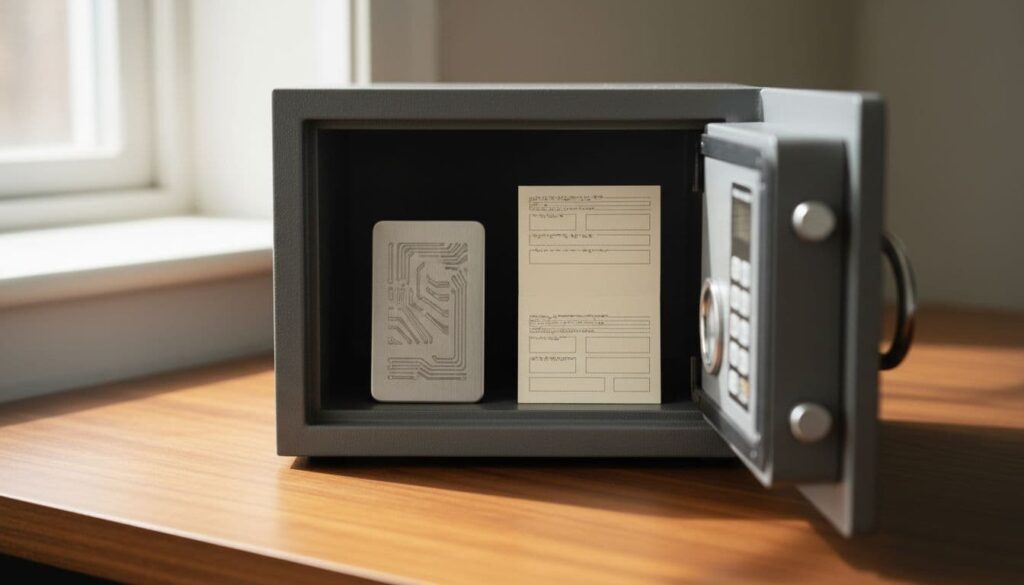
Paper vs. metal backup, what beginners should know before choosing
This quick comparison makes the trade-off easy to see:
| Backup type | Best use | Main weakness | Long-term fit |
|---|---|---|---|
| Paper | Fast setup, low cost | Fire, water, fading, tears | Fair for short-term use |
| Metal | Durable offline backup | Higher cost, more effort | Better for long-term use |
Paper can work if you need an immediate backup during wallet setup. If you use it, keep it dry, private, and protected in a safe place. Then upgrade when you can.
Metal takes more effort, but it gives you stronger protection against fire, water, corrosion, and time. You don’t need a full product deep dive here. The main point is simple: if you plan to hold crypto for years, metal is usually the better home for your recovery words.
Where to keep your backup copies so one accident does not wipe you out
Separate locations matter because one bad day should not destroy every copy at once.
A home safe is a common first location. A second copy might go in a bank safe deposit box or another trusted offsite safe. Some people also use a trusted family member’s safe, but only if that trust is real and long-standing. What you should not do is keep all copies in the same drawer, desk, or closet.
Also, don’t label the backup like a treasure map. “Bitcoin wallet seed phrase” is an invitation, not a label. Keep the item plain and boring. The less attention it draws, the better.
The simple setup routine that helps you avoid beginner mistakes on day one
The safest setup routine is quiet, private, and slow. You don’t need to rush because no prize goes to the fastest wallet backup.
Start in a room without phones, cameras, tablets, smart displays, or voice assistants nearby. If a webcam is attached to your computer, cover it or move the device out of the room. Privacy during setup matters because leaks often happen at the start, when you’re focused on getting the wallet working.

A clean routine helps:
- Set up the wallet in a private room.
- Write the phrase down by hand, word by word.
- Check the words and order twice.
- Test recovery before storing real value.
Write it down in private, check every word, then check it again
As you copy the phrase, go slowly. Read each word from the device. Write it. Then compare it back to the screen before moving on. When you finish, review the full list from top to bottom.
That second check catches the small mistakes that cost people access later. A misspelled word, a skipped line, or two swapped positions can break recovery.
Meanwhile, watch your surroundings. Mirrors, nearby windows, webcams, and smart home devices can all create privacy risks. So can another person in the room, even if they mean no harm. Setup should feel a little boring. Boring is good.
Test wallet recovery before you trust your backup
If you’ve never tested recovery, you don’t know whether your backup works. You only hope it does.
The idea is simple. Before you store large value, try restoring the wallet in a safe, controlled way so you know the phrase was copied correctly. Follow your wallet maker’s official recovery steps on a trusted device. If recovery works, your backup moves from theory to proof.
After that, check your backups from time to time. Once a year is a solid habit for most people. Make sure the words are still readable and the locations still make sense.
A backup is only a backup if you can read it and use it.
Common seed phrase mistakes that cost people money, and how you can avoid each one
Most costly mistakes are not clever. They are ordinary slips that happen when you’re tired, rushed, or too trusting.
One mistake is keeping only one copy. Another is thinking memory will save you. Some people hide the phrase so well that they can’t find it later, or their family can’t find it if something happens to them. Others leave clues that make the hiding spot easy for a thief to guess.
Never enter your seed phrase into a website, message, or support chat
This rule should feel absolute, because it is. Real wallet providers and exchanges do not need your seed phrase to verify you, unlock your account, or fix a problem.
Scammers know beginners get nervous. So they build fake recovery pages, send direct messages, or pose as support staff. The script is always the same: “Enter your phrase so we can help.” Once you type it, the wallet is theirs.
If you need support, use official help pages and never hand over recovery words. Not to a website. Not to a form. Not to a chat window. Not to a stranger in your inbox.
Do not rely on memory, one copy, or a hiding spot only you understand
Memory feels strong until time proves otherwise. A year later, a few words blur together. After stress, travel, or illness, details fade faster than people expect.
A single paper copy can also vanish in one accident. That is why two or three separate offline backups make more sense than one “perfect” hiding place.
You should also think one step ahead. If a trusted person ever needs to help after an emergency, would they know where to look? A simple note can help. That note should point to locations or instructions, not contain the seed phrase itself.
When extra protection makes sense, and when it is too much for a beginner
Once your basic backup routine is solid, you can think about stronger layers. Until then, extra features can create extra failure points.
A passphrase, separate wallets for different amounts, or multisig setups can all add protection. Still, each one adds more to remember, store, and test. For beginners, that can turn a simple backup into a maze.
A passphrase can add a second lock, but only if you store it separately
A passphrase acts like an extra secret on top of your seed phrase. If someone finds the seed phrase backup but doesn’t know the passphrase, they still can’t reach that wallet.
That sounds great, and it can be. But there is a catch. If you lose the passphrase, you can lock yourself out too. So if you use one, give it its own storage plan and keep it separate from the seed phrase.
For larger balances, consider spreading risk instead of keeping everything in one wallet
If your holdings grow, you may not want one wallet to hold everything. Many people split funds across separate wallets for spending, savings, or long-term storage.
For even larger balances, multisig can offer stronger protection because more than one approval is needed to move funds. Still, that setup is not a beginner task. Start there only after you fully understand recovery, backups, and device security.
A lost seed phrase can wipe out years of savings, but the fix is simple. Keep it offline, copy it exactly, store 2 to 3 backups in separate safe places, never type it online, and test recovery before you trust it.
Good seed phrase safety is mostly about steady habits, not expensive gear. If you lock in those habits now, you give your future self a much better chance of staying in control.
Frequently Asked Questions About Seed Phrase Safety
What is a seed phrase in crypto?
A seed phrase is a set of 12 to 24 words that can restore a crypto wallet and its private keys. If someone gets the phrase, they can usually control the funds in that wallet.
What is the safest way to store a seed phrase?
The safest basic setup is to write the seed phrase down offline and keep 2 to 3 copies in separate secure places. For longer-term storage, a metal backup usually gives better protection than paper against fire, water, and wear.
Can I store my seed phrase in my phone or password manager?
No, because any digital copy can be exposed through cloud sync, malware, account theft, or device hacking. That includes notes apps, screenshots, email drafts, text files, cloud storage, and password managers.
Should I test my seed phrase backup?
Yes, because a backup only helps if it actually works. Test recovery with your wallet provider’s official process before storing large amounts of crypto, then check your backups from time to time to make sure they are still readable.
Do real wallet providers or support teams ever ask for a seed phrase?
Legitimate wallet providers and exchanges should not ask for your seed phrase to verify your identity or fix an issue. If a website, message, or support chat asks for it, treat that request as a scam attempt.
Conclusion
Your seed phrase was never just a backup, it’s the one thing that can restore your wallet or empty it. That’s why the best beginner rule stays simple: keep it offline, private, and written in the exact order shown. Take five minutes today to check where your phrase is stored and fix any weak spots before they turn into a permanent loss.
Read Also: US Crypto Taxes Guide (2026)
Disclaimer
The information provided on this website is published in good faith and for general informational and educational purposes only. It does not constitute financial, investment, trading, legal, or tax advice of any kind.
Cryptocurrencies and digital assets are highly volatile and involve substantial risk. Market conditions can change rapidly, and users may lose some or all of their invested capital. Any actions taken based on the information found on this website are strictly at the reader’s own risk.