
Best Crypto Tax Tools & Calculators for 2026 (Side-by-Side Comparison)

If you only bought Bitcoin once and held it, crypto taxes would be boring. That’s not how most people use crypto in 2026.
A lot of us have a mix of activity now: staking rewards, airdrops, NFT mints, token swaps, bridging between chains, liquidity pools, and the occasional “why did I do that?” trade at 2 a.m. The problem is simple, your exchanges and wallets don’t hand you one clean tax form that ties it all together.
That’s why crypto tax tools and calculators exist. They pull your transaction history from exchanges and wallets, match buys to sells, then turn the mess into tax reports you can file.
This comparison breaks down the best options for 2026, what they’re good at, where they struggle, what they typically cost (pricing usually depends on transaction count), and how to pick one without wasting money.
Quick note: This isn’t tax advice. Rules vary by country, and even by region within a country.
Key Takeaways
- Crypto tax tools import your exchange and wallet history (via API sync or CSV), label each transaction type, then calculate cost basis, gains or losses, and income totals.
- Accurate labels matter, especially for DeFi and NFTs, because the same on-chain action can create several entries and change tax treatment.
- Most platforms use transaction-based pricing, many start around $49 and increase fast with heavy on-chain activity.
- For 2026 use cases, the best tools support CEX trades, self-custody wallet transfers (marked as non-taxable internal moves), DeFi actions (swaps, bridges, LP, lending), and NFT buys, sells, and mints.
- A smart way to choose is to confirm country reports first, confirm your exact integrations (exchanges, wallets, chains), then run 1 to 2 free previews before paying.
How crypto tax tools work (and what they actually calculate)

Most crypto tax software follows the same basic flow. Once you understand it, picking a tool gets easier.
First, you import your data. Tools usually support two methods:
- API sync: You connect an exchange account using API keys. The tool pulls trades and transfers automatically, then keeps syncing new activity.
- CSV import: You upload a file exported from an exchange or wallet. This is common when APIs are limited, or when you want a clean “one-time snapshot.”
After import, the tool tries to identify what each transaction “means.” Was it a trade, a transfer between your own wallets, a staking payout, a swap on a DEX, or an NFT mint? This labeling step matters because taxes depend on the type of activity.
Next comes the core math: it assigns a cost basis to the crypto you sold or disposed of (sold for cash, swapped, spent, or sometimes even used in a contract interaction). That cost basis is what lets the software calculate gains and losses.
Finally, you generate reports. Depending on where you live, that might mean capital gains reports, income summaries (staking, airdrops), and exports for common tax filing software. Many platforms let you preview results for free, and you pay when you need finalized reports.
The key tax terms these tools use: cost basis, capital gains, income, and lots
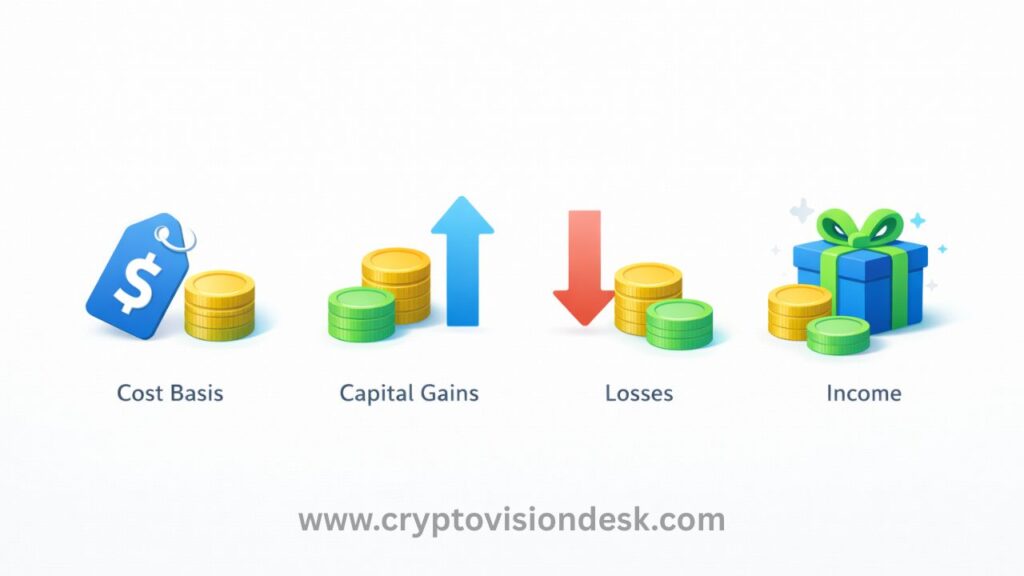
You don’t need to be an accountant, but these four terms show up in every crypto tax calculator:
- Cost basis: What you paid for an asset (including fees in many cases). If you bought 1 SOL for $100 total, your cost basis is $100.
- Capital gain or loss: The difference between what you received and your cost basis when you dispose of crypto. Example: buy for $100, sell for $160, your gain is $60.
- Income: Crypto you receive as payment or rewards, often including staking rewards and airdrops in many tax systems. Tools usually categorize this separately from capital gains.
- Lots: A “lot” is a chunk of the same asset bought at a certain time and price. If you buy 1 ETH at $1,500 and later buy 1 ETH at $2,000, you have two lots. When you sell, the tool decides which lot you sold from (FIFO, LIFO, and other methods depending on the tool and region).
When a tool gets these wrong, your tax report can swing wildly. When it gets them right, it feels like someone finally turned the lights on.
What a good crypto tax calculator should handle in 2026 (CEX, wallets, DeFi, NFTs)

In 2026, “I only used Coinbase” is less common than “I used Coinbase, a wallet, and a few DeFi apps.” A strong tool should handle activity across four buckets:
Centralized exchanges (CEXs): Spot trades, sells, conversions, and fees from platforms like Coinbase-style exchanges.
Self-custody wallets: Incoming and outgoing transfers, plus the ability to mark transfers as “between my own wallets” so they don’t become fake taxable sells.
DeFi activity: Swaps, bridges, liquidity pool deposits and withdrawals, lending, borrowing, and staking in protocols. This is where transaction counts can explode because one “action” can create several on-chain entries.
NFTs: Buys, sells, minting, and sometimes royalties. NFT activity is easy to misread because on-chain it can look like a token transfer plus multiple fee events.
The best tools don’t just import data, they let you edit labels and fix mistakes. That’s not a minor feature. It’s the difference between “close enough” and “I can actually file this.”
Best crypto tax tools and calculators for 2026 (quick comparison and who each is for)

All the tools below generally follow transaction-based pricing. Most let you import and preview for free, then charge when you generate full tax reports. Typical entry pricing for many plans starts around $49 for lower volume users, then increases as your transactions increase.
Here’s a beginner-friendly snapshot of five market leaders: Koinly, CoinLedger, ZenLedger, TokenTax, and Blockpit.
| Tool | Best for | Typical pricing range (varies by transactions) | Strengths | Key limits |
|---|---|---|---|---|
| Koinly | Beginners with many exchanges and wallets | Free preview, paid plans often start around $49, higher tiers up to about $400 | 800+ integrations, easy setup, multi-country support | Can struggle with complex DeFi labels |
| CoinLedger | Simple setup, strong DeFi and income tracking | Free preview, often around $49 to $299 | Clean workflow, wide integrations, good categories | Price rises fast with heavy on-chain activity |
| ZenLedger | Users who want advanced features and optional pro support | Free preview, often around $49 to $399 | Strong NFT handling, solid reporting | Can feel more complex, higher tiers cost more |
| TokenTax | High-volume traders and complex reporting | Often around $65 entry, premium tiers can reach $999 to $3,499 | Pro-grade support options, advanced needs | Expensive, low tiers may have limits |
| Blockpit | Europe-focused, compliance-first reporting | Free basic, paid often starts around $49, higher tiers vary | EU and UK focus, audit-ready approach | Less US-first polish, NFT depth varies |
Koinly: best overall for beginners with lots of exchange and wallet support
Koinly is a strong pick if your crypto life is spread across exchanges and wallets and you want a straightforward setup. It’s known for broad integrations (800+ supported exchanges and wallets) and a clean experience for first-time filers.
It also tends to fit well if you want exports that work with popular tax filing workflows, including TurboTax exports in supported regions. For many users, the big win is the free preview. You can connect accounts, spot issues, and only pay when the numbers look right and you need final reports.
Where Koinly can feel less comfortable is messy DeFi. If you did lots of swaps, LP moves, and bridges, you may need more manual labeling and review.
CoinLedger: best for simple setup and DeFi income tracking
CoinLedger (formerly CryptoTrader.Tax) is often the easiest to get running, even if you’re not “a spreadsheet person.” The dashboard tends to guide you through imports and the common fixes, which is exactly what beginners need.
It also does well with income-style events, including DeFi interest and staking-style rewards, where people often miss taxable entries. Recent improvements across the market have boosted DeFi and NFT tracking, and CoinLedger is frequently praised for keeping the workflow simple while still handling real on-chain activity.
The main catch is the same one most tools have: as your transactions climb, your cost climbs. DeFi power users can hit higher pricing tiers quickly.
ZenLedger: best if you want optional help from a tax pro
ZenLedger is a good match when you want more than a calculator. It’s often used by people who want a more US-focused path to finished forms, plus extra features like tax-focused reporting and workflows that feel closer to “filing season.”
It also has a reputation for strong NFT support, including handling details like NFT cost basis flows that can trip up simpler tools. For collectors who minted, traded, and sold across marketplaces, that matters.
ZenLedger can cost more as you scale up, and it may feel like more tool than you need if your activity is just buying and selling on one exchange.
TokenTax: best for high-volume traders and complex reporting (not the easiest first tool)
TokenTax is aimed at people with heavy volume or complicated situations, the kind where “connect wallet and done” is rarely true. Pricing can start around the lower tiers, but it’s known for premium plans that can go into the thousands, including full-service filing options.
If you’re a high-volume trader, used many exchanges, or need deeper support, TokenTax can be worth the cost. It’s also a fit if you want a more hands-off path and are willing to pay for it.
For beginners, it’s usually not the first stop unless your activity is already intense. It can feel pricey fast, and lower tiers may come with limits on which exchanges and features you can use.
Blockpit: strong choice for Europe and compliance-minded users
Blockpit is often associated with EU and UK users who care about reports that feel audit-ready and aligned with local expectations. If you want a compliance-first experience, Blockpit is worth a serious look.
It supports many exchanges and wallets (often cited as 500+ integrations) and continues to improve imports and reporting aimed at European needs. For users who want clean records and clear categorization, that focus is appealing.
If you’re filing mainly US forms and want a US-first workflow, Blockpit may feel less tailored. Some users also prefer other tools for deeper NFT edge cases, depending on what they did on-chain.
Read Also: Best Crypto Apps For Android (2026), Safe Beginner Picks
How to choose the right crypto tax tool in 2026 (a simple checklist)
Picking crypto tax software is less about “best app” and more about “best fit for your data.” One clean import beats ten fancy features you won’t use.
Here’s a simple way to choose without overthinking it.
Check these before you pick: country forms, integrations, and pricing by transaction count
Country support comes first. Tax forms and rules differ. Even when two countries both tax capital gains, the reporting format and categories can change. Make sure the tool supports the reports you actually need.
Confirm integrations, not brand names. It’s not enough that a tool supports “Coinbase.” You need your specific exchanges, wallets, and chains. If you used a niche wallet or an L2, check that it’s supported before you commit.
Understand transaction-based pricing. Pricing usually increases with transaction count. One year of basic buys and sells might stay low, but DeFi can create lots of transactions from a single session. A few weeks of swaps and LP moves can push you into a higher tier.
Beginner mistakes to avoid: missing wallets, duplicates, bad CSVs, and wrong labels
Most “my numbers are wrong” problems come from four issues:
Missing wallets or exchanges: If you forget even one wallet, the tool might think coins appeared out of nowhere. That can show up as fake income or impossible gains.
Duplicate imports: If you import via API and also upload a CSV for the same account, you can double count trades. Most tools warn you, but it’s easy to miss.
Bad CSV files: Some exports are messy, missing fees, timestamps, or transaction IDs. If a CSV import looks wrong, try a different export format or use API instead.
Wrong labels: Transfers marked as sells, swaps marked as income, LP deposits treated like disposals. Always review the “warnings” or “needs review” area, then spot-check your biggest transactions.
A good habit is to sanity check your results. If the tool says you made a huge profit in a month where you barely traded, something’s off.
Quick picks for beginners: easiest, cheapest to start, and best for DeFi or Europe
If you want a fast starting point, these are practical picks based on common situations:
- Easiest for most beginners: Koinly, especially if you used many exchanges and wallets.
- Simple setup with DeFi-friendly income categories: CoinLedger.
- Want optional pro help: ZenLedger.
- Heavy trader or complex reporting: TokenTax.
- Europe and compliance focus: Blockpit.
The smartest move is to start with free previews on one or two tools. Compare imports, review flagged items, and only pay when the transaction history looks complete and the totals make sense.
Crypto Tax FAQs (2026)
How do crypto tax tools calculate gains and losses?
They assign a cost basis to the crypto you disposed of, then compare that cost basis to what you received when you sold, swapped, or spent it. The difference is your capital gain or loss. Most tools also track “lots” (chunks bought at different prices) so they can apply methods like FIFO or other region-based rules.
What’s the difference between API sync and CSV import?
API sync connects to an exchange using API keys and keeps pulling new activity over time. CSV import is a manual upload from an exchange or wallet export, and it’s useful when APIs are limited or when you want a one-time snapshot. Both methods can work, as long as the data is complete and not duplicated.
Why do DeFi transactions cause so many tax tool errors?
DeFi actions often create multiple on-chain events from one click, like a swap plus fees plus token movements. Tools can mislabel these events (for example, treating transfers as sells, or LP deposits as disposals). That leads to incorrect income, missing cost basis, or inflated gains. The best fix is reviewing flagged items and editing labels before finalizing reports.
What should a good crypto tax calculator support in 2026?
It should cover centralized exchange trading, self-custody wallets, DeFi (swaps, bridges, LP deposits and withdrawals, lending and borrowing, staking), and NFTs (mints, buys, sells, and related fees). It should also let you relabel transactions and mark internal transfers between your own wallets so they don’t show up as taxable sells.
How do I pick the right crypto tax tool without overpaying?
Start with country support (the reports you need), then confirm your exact exchanges, wallets, and chains are supported. Next, check how pricing scales with transaction count, since DeFi can push you into higher tiers quickly. Finally, run free previews on one or two tools, fix obvious import issues, then pay only when the totals look right.
Why this helps and how to implement it: FAQs match real prompts people use in AI search, so adding these near the end of the article increases long-tail reach and gives AI models clean question-answer pairs to cite.
Do I really need to pay tax on crypto?
Yes. In most countries, crypto is treated as taxable property or assets.
You may owe tax when you sell, swap, spend, or earn crypto, even if you never convert it to cash.
Is buying crypto taxable?
No.
Simply buying and holding crypto is not taxable.
Tax usually applies only when you dispose of crypto (sell, swap, spend, or earn it as income).
What crypto actions usually trigger tax?
Common taxable events include:
Selling crypto for cash
Swapping one crypto for another
Spending crypto on goods or services
Receiving staking rewards
Getting airdrops
Earning crypto as income or rewards
(Some rules vary by country.)
Are crypto-to-crypto swaps taxable?
In many countries, yes.
Even if you swap ETH → SOL without cash, it’s often treated as:
Selling ETH
Buying SOL
This can create capital gains or losses.
Do transfers between my own wallets count as tax?
No, if properly labeled.
Transfers between wallets you own are not taxable, but crypto tax tools must recognize them correctly.
If not labeled, they may look like taxable transactions.
What’s the difference between capital gains and crypto income?
Capital gains: Profit or loss when you sell, swap, or spend crypto
Income: Crypto you receive (staking rewards, airdrops, salary, tips)
Many tax systems treat them differently.
Do I pay tax if I lost money in crypto?
You may not owe tax, but you still need to report it.
In some countries, losses can:
Offset gains
Reduce future taxes
Rules vary, so reporting matters even when you lose.
Conclusion
Crypto taxes in 2026 aren’t hard because the math is impossible, they’re hard because your activity is spread across apps that don’t coordinate. The best crypto tax tool is the one that imports your data cleanly, labels it correctly, and produces the exact reports your filing needs.
Start by listing every exchange, wallet, and chain you used. Run one or two free previews, fix obvious import issues, then pay for reports only after you trust the numbers. If your situation includes large amounts, complex DeFi, or business activity, talk with a qualified tax pro so you can file with confidence.
Read Also: Crypto Tax India 2026 Guide, 30% VDA, 1% TDS, Gains Calculator
Disclaimer
The information provided on this website is published in good faith and for general informational and educational purposes only. It does not constitute financial, investment, trading, legal, or tax advice of any kind.
Cryptocurrencies and digital assets are highly volatile and involve substantial risk. Market conditions can change rapidly, and users may lose some or all of their invested capital. Any actions taken based on the information found on this website are strictly at the reader’s own risk.
References to cryptocurrencies, exchanges, wallets, tools, platforms, or strategies are shared solely for educational awareness and should not be interpreted as recommendations, endorsements, or professional advice.
Readers are advised to conduct their own research (DYOR) and seek guidance from a qualified financial advisor, tax consultant, or legal professional before making any financial or investment decisions.
Cryptocurrency laws, regulations, and taxation policies—particularly in India—may change over time. The content on this website is based on publicly available information at the time of publication and may not reflect the most recent legal or regulatory updates.
The website owner, authors, and contributors do not accept any liability for losses, damages, or consequences arising from the use of the information provided on this website.
Some content on this website may contain affiliate links. This means we may earn a small commission at no additional cost to you. This does not influence the accuracy, transparency, or integrity of the content.