
Best Crypto Apps For Android (2026) Review, Safe Picks for Beginners
Crypto on Android is easier than ever, but the app you pick still matters. A clean screen and a big brand name don’t always mean low fees or strong safety settings, and beginners usually find out after they’ve already signed up.
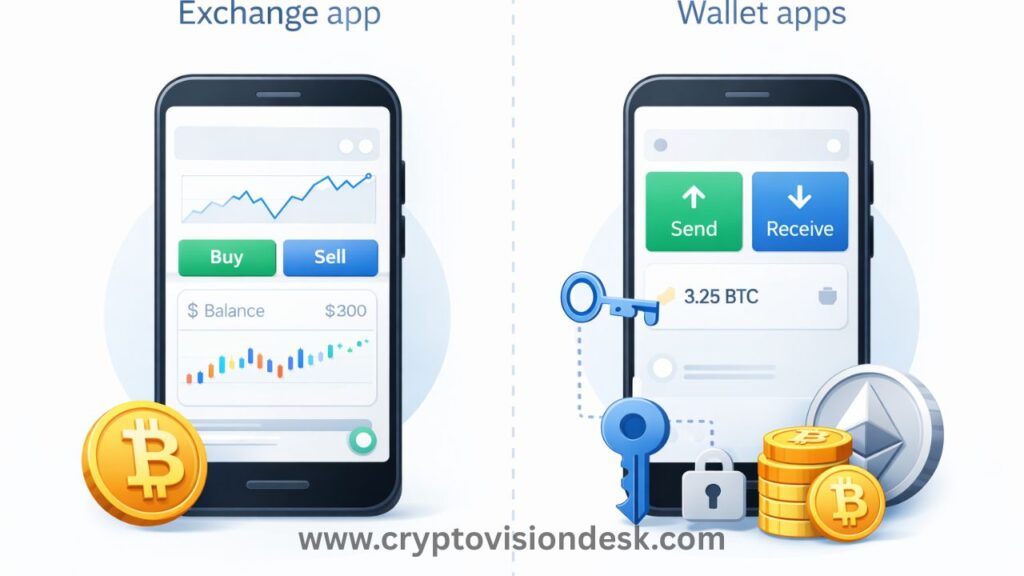
In this Best Crypto Apps For Android (2026) review, you’ll see two main app types. First are exchange apps, where you buy, sell, and set up things like recurring buys. Second are wallet apps, where you store crypto, and the big choice is custody: custodial (the company holds the keys) or non-custodial (you control them).
You’ll get simple language, practical picks, and clear safety tips you can use right away. Security gets real attention here, including 2FA, login protections, and what insurance or safeguards an app claims to offer. You’ll also learn what coin selection really means for you (whether you want a few major coins or a wider list), and which apps stay beginner-friendly once you move past your first purchase.
You’ll see comparisons on fees (including where they’re hidden), ease of use, verification speed, and beginner features like learning tools, staking options, and recurring buys. By the end, you’ll know which apps fit your first $50, and which ones make sense when you’re ready to hold long term.
How to choose the best crypto app for Android in 2026 (beginner checklist)
Picking from the Best Crypto Apps For Android is less about hype and more about fit. Before you download anything, get clear on four things: safety, total fees, ease of use, and what you plan to do with crypto. If you do a quick check now, you avoid the common beginner mistakes later.
Here’s a simple pre-download checklist you can keep on your phone:
- Security basics: 2FA, passkey (if offered), and biometric login are available and easy to turn on.
- Real app proof: The Google Play developer name matches the official company.
- Total cost: You can see fees, spreads, and withdrawal costs before you confirm.
- Beginner flow: Clear buy and sell screens, simple confirmations, price alerts, and recurring buys.
- Your goal: Investing, active trading, spending, or long-term holding.
Quick definitions in plain language:
- Custodial: The app holds your crypto keys for you, like a bank. Easier for beginners, but you trust the company.
- Non-custodial: You control the keys. More control, more responsibility.
- Seed phrase: A list of words that can restore your wallet. Anyone with it can take your funds.
- Staking: Locking crypto (or delegating it) to earn rewards, like earning interest, but with risk.
- Spread: The gap between the buy price and sell price. It’s a quiet cost that can add up.
Safety first: 2FA, passkeys, biometrics, and proof you downloaded the real app
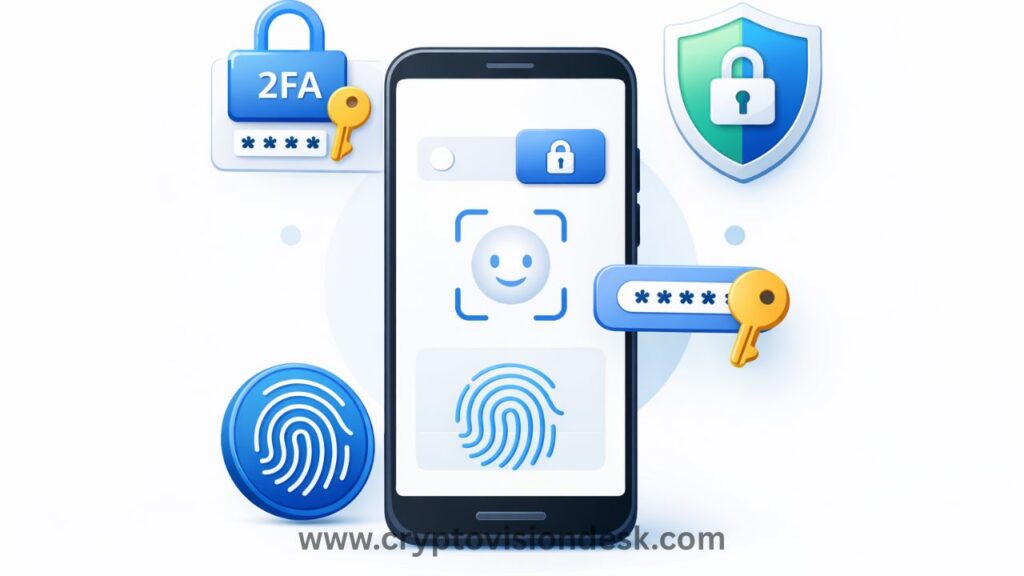
Turn on protections right away. Treat it like locking your front door before you unpack.
Start with these settings:
- 2FA (two-factor authentication): Use an authenticator app, not SMS, if you get the choice. SMS can be hijacked with SIM swaps.
- Passkey (if the app supports it): This is a newer login option tied to your device, often safer than passwords.
- Biometrics: Enable fingerprint or face unlock for app access, and set a strong device screen lock.
Before you sign in, confirm you downloaded the real app from Google Play:
- Check the developer name on the store listing (not just the app name). Big apps list the official company, for example Coinbase, Kraken (Payward, Inc.), Binance, and Crypto.com.
- Look for high downloads and a strong review history, not a brand-new listing that popped up last week.
Common scam signs you should treat as a hard stop:
- Reviews that sound copied, repeat phrases, or appear in weird bursts.
- Misspellings in the description, screenshots with blurry logos, or a name like “Pro 2026” that feels off.
- Any message or support chat that asks for your seed phrase. Real support never needs it.
Also watch for lookalike links. If a search result takes you to a page that pushes an APK download, back out and use Google Play.
Fees made simple: trading fees, spreads, withdrawal costs, and hidden charges
Most beginners only look at the “fee,” then get surprised by the spread and network fees.
Here’s what can hit your total cost:
- Trading fee: A clear percent charged by the app when you buy or sell.
- Spread: The app sells to you a bit higher than market, and buys from you a bit lower.
- Withdrawal costs: Fees to move crypto out to another wallet or exchange.
- Network fee: Paid to the blockchain (not the app) when you send crypto. This changes based on network traffic.
A quick way to compare apps without overthinking it:
- Pick the same coin (like BTC or ETH).
- Make the same small test buy (example: $25).
- Record what you paid and how much crypto you received.
- Check what it would cost to sell right away (the difference hints at spread).
- Check the withdrawal screen for fees before you commit.
In general, some apps are known for lower fees and more detailed order screens (often better for active trading), while others are easier but cost more for the convenience.
Ease of use: best onboarding, recurring buys, and clean charts for learning
Beginner-friendly doesn’t mean “basic,” it means you can’t mess up easily.
Look for:
- A clear Buy button and simple “you’re about to purchase” confirmations.
- Price alerts so you can learn how coins move without staring at charts.
- Recurring buys (weekly or monthly) for steady investing. This helps you avoid emotional, last-minute buys.
- Clean charts with a few timeframes (1D, 1W, 1M), not ten panels of indicators.
Too many advanced screens early on can push you into mistakes, like picking the wrong network, using the wrong order type, or selling when you meant to set a limit order. You can always grow into advanced tools later.
What you plan to do with crypto decides the app: investing, trading, spending, or holding
Your goal picks the app type more than the brand name.
Use this simple match-up:
- Long-term investing: Choose an exchange app with recurring buys, simple confirmations, and easy bank transfers.
- Active trading: Choose an app with advanced order types (limit, stop), deeper charts, and a reputation for low spreads.
- Spending: Choose an app that supports a crypto card and makes it easy to convert and track spending.
- Holding for the long run: Consider a wallet app. If you go non-custodial, protect your seed phrase like it’s cash.
Start with one main use case. It keeps your setup simple, your security tighter, and your fees easier to track.
Quick comparison of the best crypto apps for Android (2026)
If you want to pick from the Best Crypto Apps For Android without overthinking it, focus on three things: how easy it feels on day one, what you pay to buy and sell, and how much room you have to grow later. Also, fees and supported coins change, so confirm the exact costs and availability inside the app before you fund your account.
Best all around for beginners: Coinbase
Coinbase is the one you pick when you want your first crypto buy to feel like using a banking app. The screens are clean, the buttons are obvious, and you can buy, sell, or convert in a few taps. It also helps that Coinbase has strong name recognition, which lowers that “am I trusting the right company?” stress for many new users.
You’ll like Coinbase most if you want:
- A first purchase that’s hard to mess up, with clear confirmations before you place an order
- An easy portfolio view that shows what you own, how it’s moving, and your recent activity
- Learning tools that make basics feel less intimidating
The main tradeoff is cost. Coinbase often charges higher fees (and sometimes wider spreads) than more trading-focused apps, especially if you stick to the simplest buy screen. If you care about self-custody later, Coinbase also has a separate app, Coinbase Wallet, where you control your own keys.
Best for lower fees and step by step trading: Kraken
Kraken fits you if you want to learn real trading habits without getting buried in noise. It has a strong security reputation, and the app tends to feel organized, with clearer paths for placing orders once you are ready to move past instant buys.
Kraken is a good match when you want:
- Lower-fee trading options (especially if you use the more advanced trading view)
- A more guided move from “buy crypto” to limit orders and basic risk controls
- A platform known for taking security seriously
The tradeoff is the vibe. Kraken can feel more serious than the simplest beginner apps. That’s not bad, it just means you might spend a little more time learning where things are.
Best for earning features and spending options: Crypto.com
Crypto.com is popular if you like the idea of earning rewards and also being able to spend from the same ecosystem. In plain terms, staking means you commit certain crypto for a period of time (or under certain terms) and you may earn rewards, kind of like earning interest, but with price risk.
Why new users often choose it:
- Rewards and earn features in the app
- Card and perks that can make crypto feel more usable day to day
- A single place to track balances, rewards, and spending
Be careful with the fine print. Some earn products include lockups, and reward rates can change. Always read the terms, check whether you can withdraw early, and start small until you understand what you’re agreeing to.
Best for huge coin selection and advanced features later: Binance
Binance stands out for low fees and a large coin selection, which is tempting when you want more than just Bitcoin and Ethereum. The downside is that the app can feel like a cockpit, with lots of menus and features you do not need yet.
A simple setup path that keeps you sane:
- Start with basic buy for your first small purchase.
- Set price alerts and learn how your coins move.
- Graduate to limit orders once you understand the difference from instant buys.
One important reminder: availability varies by country and sometimes by state, so confirm what version of Binance you can use where you live before you sign up and deposit funds.
Best crypto wallet apps for Android if you want full control of your coins
If you keep crypto on an exchange app, the exchange controls the private keys. That’s convenient, but it also means withdrawals can get delayed, accounts can get locked during reviews, and you’re trusting one company to safeguard your funds.
A self-custody (non-custodial) wallet flips that. You control the keys, so you control the coins. The tradeoff is simple: you become your own “support desk.” If you lose access and you don’t have your backup method, nobody can restore your wallet for you.
Most wallets use a seed phrase (usually 12 to 24 words). It’s a master key. If anyone gets it, they can take your crypto. Store it offline (paper or metal), keep it private, and never save it in screenshots, notes apps, or cloud storage. Always test with a small transfer first, then scale up.
Below are three Android wallet options people often consider when moving from the Best Crypto Apps For Android exchange picks to true self-custody.
Easiest self custody for beginners: Zengo (no seed phrase style security)
Zengo is built for beginners who don’t want the stress of handling a seed phrase. Instead of making you write down 12 to 24 words, it uses MPC cryptography (a different security method that avoids a traditional seed phrase). For a new user, that can cut out common mistakes like mis-writing words, losing the paper, or storing it in the wrong place.
That doesn’t mean you can ignore security. You still need to protect:
- Your phone: use a strong screen lock, keep Android updated, and avoid sketchy APK installs.
- Your recovery method: if the app offers a specific recovery setup, treat it like your lifeline. Set it up right away and keep it private.
Zengo supports a wide range of assets (including major coins and many tokens), and it’s designed for simple sending and receiving. If you want self-custody without the seed phrase learning curve, it’s a calm starting point.
Simple non custodial wallet for daily use: COCA
If you’re considering COCA as a non-custodial wallet for everyday transfers, focus on the basics: you control the wallet access, you can send and receive, and the app should make it hard to mess up a transaction.
Before you commit to any daily-use wallet (including COCA), check these items inside the app and its official docs:
- Supported networks: does it support the exact chain you’ll use (Ethereum, Polygon, Bitcoin, etc.)? Many “missing funds” stories are really wrong-network sends.
- Total fees: confirm network fees before you hit send, especially on busy chains.
- Swap options: if it offers swaps, check the quote and the final amount, swaps can include spreads and provider fees.
- Backups and recovery: find out if it uses a seed phrase, a recovery file, or another method, then set it up on day one.
For daily use, your goal is boring reliability: clear receive addresses, easy copy and paste, and warnings when you’re about to send on the wrong network.
Best companion wallet if you use the Coinbase exchange: Coinbase Wallet
Coinbase has two separate apps, and the names confuse beginners:
- Coinbase (exchange app): a custodial account for buying, selling, and active trading.
- Coinbase Wallet: a non-custodial wallet where you control the keys.
Keep funds on the exchange when you need speed and convenience, like small balances for frequent buys, sells, or conversions. Move funds to Coinbase Wallet when you plan to hold long term, or when you want full control and don’t want your access tied to an exchange account review.
A practical habit: trade on the exchange, then withdraw your long-term holdings to your wallet in batches, and always do a small test send first.
Extra Android crypto apps that help you track, learn, or try crypto without heavy trading
Not every crypto app needs a buy or sell button. Some of the most useful tools sit next to your main exchange or wallet, helping you track prices, build calmer habits, or learn the basics without feeling pushed into active trading. Think of these as your crypto “dashboard”, not your crypto “casino”.
Best portfolio and price tracker: CoinMarketCap
If you want a clean way to follow the market without placing trades, CoinMarketCap is one of the easiest add-ons to your short list of the Best Crypto Apps For Android. It works well as a tracker because you can organize coins, set alerts, and get a clear view of performance.
To set up a simple watchlist:
- Open CoinMarketCap and search for a coin (like BTC or ETH).
- Tap the star or watchlist option to add it.
- Create multiple watchlists (example: “Long-term”, “Maybe”, “Learning”) so you stop mixing everything together.
For price alerts that keep you off the charts:
- Pick a coin, then set a target price alert (example: “Alert me if BTC drops below X”).
- Turn on push alerts, then let the app do the watching for you.
To track gains and losses (without connecting accounts):
- Use the portfolio section to add your buys and sells (date, price, amount).
- CoinMarketCap will show your total gain or loss and your portfolio’s current value. If you prefer privacy, use privacy mode to hide balances when someone is nearby.
A simple habit that protects your mood: check once per day or once per week, not every minute. Watching every wiggle is like checking your oven every 30 seconds, it only makes you anxious.
Beginner friendly “mining” style app to explore: Pi Network (what it is and what it is not)
Pi Network is often called “mobile mining,” but it’s not mining like Bitcoin mining. Your phone isn’t solving hard math problems. Instead, you tap a button daily, and the app tracks your activity and network participation.
What it is:
- A network and earning model where you “earn” Pi by checking in and building trust connections.
- A long-running project with a large user base and an in-app ecosystem.
What it’s not:
- A guaranteed way to make money.
- A coin you can freely trade anywhere. As of late 2025, Pi has operated in an Enclosed Mainnet setup, with limits on outside exchange trading.
Rules to keep it safe and sane:
- Don’t pay for promises, including “boosts,” “unlock fees,” or “KYC help.”
- Don’t share private info, passwords, recovery phrases, or anything “support” asks for in DMs.
- Treat it like a free experiment, not an investment plan.
Cloud mining option to understand, not to bet your savings on: ECOS
Cloud mining means you rent mining power from a company instead of buying loud, expensive machines. ECOS is a known name in this space, and it can teach you how mining economics work, but it comes with real tradeoffs.
Typical risks you should expect with cloud mining:
- Contracts and lock-ins (you pay upfront, then wait to see results).
- Fees baked into pricing, plus profit math that changes with Bitcoin price and network difficulty.
- Unclear profits, because no app can promise what you will earn.
Why many beginners do better buying a small amount of Bitcoin instead: you get direct ownership with no rental contract, no activation delays, and fewer moving parts.
If you still want to try ECOS, keep it small and use a checklist:
- Download only from official sources (avoid lookalike apps).
- Read the contract terms, duration, and withdrawal minimums.
- Start with the smallest amount you can afford to lose.
- Use the profitability calculator as an estimate, not a promise.
- Withdraw periodically instead of endlessly re-buying contracts.
Getting started safely on Android: a simple setup plan you can follow today
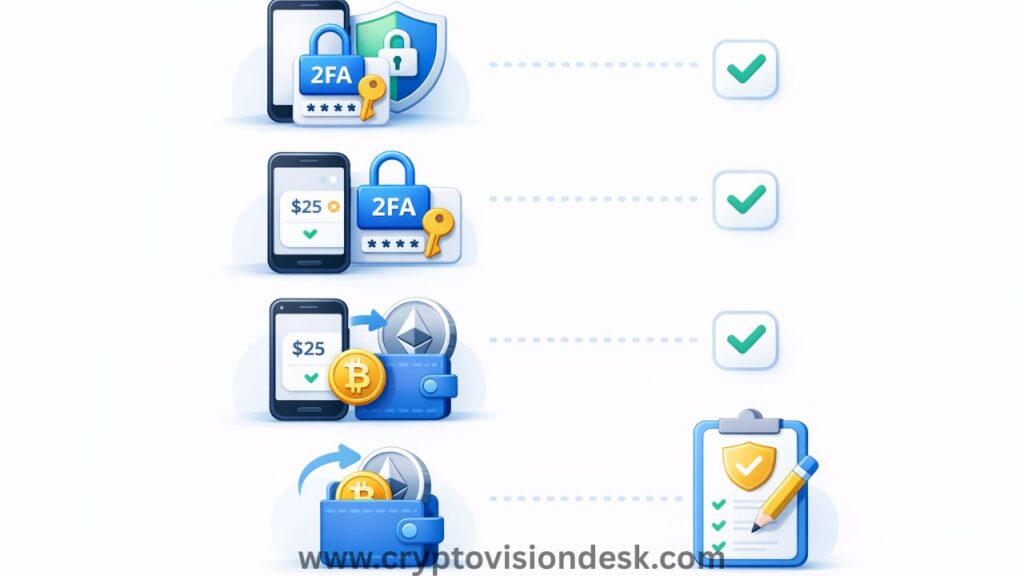
If you’re using one of the Best Crypto Apps For Android, treat your first hour like setting up a new bank account, not like shopping. Your goal is simple: lock down access, make a tiny first buy, then decide what stays on the exchange and what moves to a wallet. Keep it boring, and you’ll make fewer expensive mistakes.
Before you deposit money: lock down your account and recovery settings
Start with your phone, because your crypto app is only as safe as your device.
- Turn on a strong screen lock: Use a long PIN (6 digits minimum) or a password, plus fingerprint or face unlock. Skip simple patterns.
- Update Android and Google Play: Security patches close holes that scammers use.
Now secure the account itself before you add funds:
- Create a strong, unique password: Use a password manager if you can. Never reuse your email password.
- Enable 2FA with an authenticator app: Pick app-based 2FA (like Google Authenticator, Microsoft Authenticator, or Authy) when it’s offered. Avoid SMS 2FA if you have the choice.
- Turn on a passkey (if available): If your crypto app supports passkeys on Android, enable it. It reduces the risk of password theft.
- Lock down your email: Your email is the master key for password resets.
- Use a unique email password.
- Turn on 2FA for your email too.
- Review account recovery options (backup email, phone, trusted devices).
Finally, write down recovery codes (2FA backup codes, recovery keys, or wallet backup steps) and keep them offline. Paper in a safe place beats screenshots, notes apps, and cloud drives.
Your first buy: start small, understand confirmations, and save receipts
Your first purchase should be a test, not a statement. Pick an amount you can shrug off (like $10 to $25), then buy a major coin you recognize.
Before you tap confirm:
- Use the preview screen like a receipt: Check the total cost, the fee, and the amount of crypto you’ll receive. If the quote looks bad, back out and try a different order type or time.
- Understand “confirmations”: Some apps show your balance fast, but blockchain transfers need confirmations (extra checks by the network). More confirmations usually means more final.
After the buy, save your records right away:
- Transaction ID (TXID)
- Date and time
- Fees paid
- Cost basis (what you paid)
This makes taxes and tracking easier later. If you plan to invest long term, consider recurring buys (weekly or monthly). It helps you avoid panic-buying during spikes and panic-selling during dips.
When to move crypto to a wallet, and how to do a test send first
Keep small amounts on an exchange for convenience. Move funds to a wallet when you plan to hold long term, or when the balance is big enough that you’d lose sleep if the account got locked.
When you withdraw, do a test send first:
- Confirm the receiving address in your wallet, copy it, and paste it (don’t retype).
- Double check the network (Ethereum vs Polygon vs BSC, etc.). The network must match on both sides.
- Send a tiny amount first.
- Wait for confirmation, then verify it arrived in your wallet.
- Only then send the rest.
Wrong-network sends are a top beginner loss because they can be permanent. Crypto does not have a “chargeback” button.
Beginner mistakes to avoid in 2026: leverage, meme coin hype, and fake support chats
These traps keep showing up because they work on stressed people.
- Borrowing to trade (leverage, margin): If the price drops fast, you can get liquidated and lose your funds quickly.
- Chasing pumps and meme coin hype: If you’re buying because it’s “going up right now,” you’re usually late.
- Downloading APKs from random sites: Stick to Google Play and the official company links.
- Replying to DMs or “support” on social apps: Real support does not start in your inbox.
A simple rule that saves people every day: if anyone asks for your seed phrase or recovery words, it’s a scam. Stop, block, and report.
Conclusion
You don’t need ten apps to get started, you need one solid setup you can trust. The Best Crypto Apps For Android in 2026 usually fall into two lanes, exchange apps for buying and selling, and wallet apps for holding with more control. Your best pick comes down to your goal, then you keep risk low with simple habits.
Pick one exchange app for your first buys. Choose Coinbase if you want the easiest first steps, Kraken if you care most about security and lower-fee trading screens, Crypto.com if you want earn features and spending options, or Binance if you want a big coin list and plan to grow into advanced tools.
Add a wallet if you want self-custody. Choose Zengo if you want a beginner-friendly setup that avoids the seed phrase stress, COCA if you want a simple daily-use wallet (after you confirm supported networks), or Coinbase Wallet if you already use the Coinbase exchange and want a familiar companion.
Lock it down before you fund anything, turn on 2FA (authenticator app if possible), verify you downloaded the real app from Google Play, start with a small test buy, then do test sends before moving larger amounts.
Thanks for reading, keep learning one step at a time, and only invest what you can afford to hold through volatility.
Read Also: AI Crypto Tokens in 2025: Hype or Smart Investment?
Disclaimer
The information provided on this website is published in good faith and for general informational and educational purposes only. It does not constitute financial, investment, trading, legal, or tax advice of any kind.
Cryptocurrencies and digital assets are highly volatile and involve substantial risk. Market conditions can change rapidly, and users may lose some or all of their invested capital. Any actions taken based on the information found on this website are strictly at the reader’s own risk.
References to cryptocurrencies, exchanges, wallets, tools, platforms, or strategies are shared solely for educational awareness and should not be interpreted as recommendations, endorsements, or professional advice.
Readers are advised to conduct their own research (DYOR) and seek guidance from a qualified financial advisor, tax consultant, or legal professional before making any financial or investment decisions.
Cryptocurrency laws, regulations, and taxation policies—particularly in India—may change over time. The content on this website is based on publicly available information at the time of publication and may not reflect the most recent legal or regulatory updates.
The website owner, authors, and contributors do not accept any liability for losses, damages, or consequences arising from the use of the information provided on this website.
Some content on this website may contain affiliate links. This means we may earn a small commission at no additional cost to you. This does not influence the accuracy, transparency, or integrity of the content.