
Best Crypto Wallets for Beginners in 2026 (Hot vs Cold Guide)
Feeling lost when people talk about wallets, keys, and cold storage? You’re not alone. For many new investors, crypto wallets for beginners sound more like hacker tools than something normal people can use.
A crypto wallet is not a pocket full of coins. It’s simply a tool that lets you control the keys to your crypto. When you “own” Bitcoin or Ethereum, what you really own is a secret key that proves those coins belong to you.
By the end of this guide, you’ll know the difference between hot and cold wallets, which type fits you in 2026, and how beginner friendly options like MetaMask, Exodus, Coinbase Wallet, Tangem, Ledger, and Trezor compare. You’ll also see why your habits matter more than any brand name.
Crypto always carries risk. No wallet can save you from every mistake. Good security starts with you, your phone, your computer, and how you treat your passwords and seed phrases.
What Is a Crypto Wallet and Why Do Beginners Need One in 2026?
A crypto wallet is a tool that stores and uses your private keys. Those keys let you sign transactions and move coins on a blockchain. The coins stay on the blockchain, not inside the wallet.
Your wallet gives you:
- A public address you can share to receive crypto
- A way to sign and send funds
- A place to back up your seed phrase, which can recover your wallet
In 2026, more people use crypto for payments, trading, and Web3 apps. That growth brings more scams and fake apps too. Wallets are also used as logins for DeFi platforms, NFT marketplaces, and games, so picking a safe, simple wallet is more important than ever.
If you keep everything on an exchange, you rely on that company to protect your money. A personal wallet gives you more control and less risk from exchange hacks or shutdowns. It also lets you connect to apps that do not support regular exchange accounts.
Private keys and seed phrases in plain English
Think of your private key as a super secret password that proves the coins at a certain address are yours. If someone steals it, they can move your funds without asking.
A seed phrase is a list of 12 to 24 words that can rebuild your private keys. Many wallets show this phrase during setup and ask you to write it down.
A simple picture: imagine a master key that opens every safe in your house. That is your seed phrase. Lose it, and you lose access. Share it, and someone else can open your “safes” and empty them.
Whoever holds the seed phrase controls the crypto. This is the single most important rule for beginners.
Custodial vs non-custodial wallets for beginners
There are two big types of wallets:
- Custodial wallets: An exchange like Coinbase or Binance holds your keys for you. You log in with email and password.
- Non-custodial wallets: Apps like MetaMask, Exodus, Tangem, Ledger, and Trezor let you hold your own keys.
For new users, custodial wallets feel easy. If you forget your password, the company can help you regain access. The tradeoff is trust. If the exchange gets hacked or freezes withdrawals, your funds may be stuck.
Non-custodial wallets give you full control. No support team can reset a lost seed phrase, but no company can block your coins either.
A simple path for beginners:
- Start with small amounts on a trusted exchange while you learn.
- Move to a non-custodial wallet when you hold more serious money or want to use DeFi and NFTs.
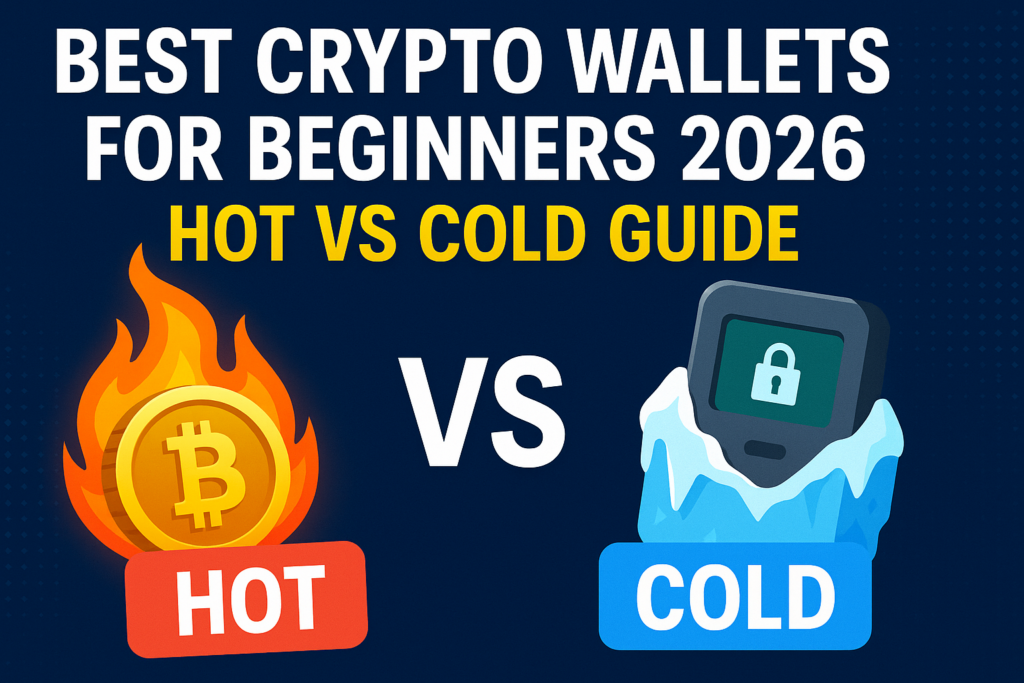
Hot vs Cold Crypto Wallets: Simple Guide for First-Time Users
Now that you know what a wallet does, you can choose between hot wallets and cold wallets.
- Hot wallets are apps on your phone, computer, or browser that stay connected to the internet.
- Cold wallets are offline devices or cards that store your keys away from the internet.
Hot wallets feel like a checking account. You use them for daily spending, trades, and experiments. Cold wallets are more like a safe at home, used for long-term savings.
What is a hot wallet and when should you use one?
A hot wallet is a software wallet that runs on a device with internet access. Common examples in 2026 include:
- MetaMask
- Exodus
- Trust Wallet
- Coinbase Wallet
- Coinomi
You can install these as mobile apps, desktop apps, or browser extensions. They are usually free, and setup often takes just a few minutes.
People use hot wallets for:
- Trading and swapping tokens
- DeFi platforms
- NFT marketplaces
- Quick payments and transfers
Hot wallets are the best hot wallet for beginners style of tool because they are simple and feel like regular apps. The tradeoff is higher risk from malware, fake sites, and phishing links.
What is a cold wallet and why is it safer for savings?
A cold wallet keeps your private keys offline. You sign transactions on a device that is not always connected to the internet.
Popular cold wallets for beginners in 2026 include:
- Tangem cards
- Ledger devices (Nano X, Nano Plus, Stax)
- Trezor devices (Trezor One, Model T)
With a hardware wallet, your keys stay inside the device. When you send crypto, you confirm the details on the device screen or, in Tangem’s case, by tapping the card on your phone.
Cold wallets:
- Greatly cut online hack risk
- Work well for long-term savings
- Cost money upfront, but pay off for larger balances
They are a bit slower to use than hot wallets, but that delay can protect you from rash moves and some scams.
Hot vs cold wallets: key differences beginners must know
Here is the comparison in plain language:
- Internet: Hot wallets connect all the time, cold wallets stay offline until you plug them in or tap them.
- Speed: Hot wallets are fast for daily use, cold wallets take extra steps.
- Security risk: Hot wallets face more online threats, cold wallets reduce those threats a lot.
- Cost: Hot wallets are usually free apps, cold wallets are paid devices or cards.
- Use cases: Hot for small amounts and regular activity, cold for larger savings.
A common rule of thumb from many security fans: keep maybe 15 to 20 percent of your crypto in a hot wallet for daily use, and 80 to 85 percent in cold storage. This is only an example, not financial advice. Your own split should match your comfort level and how often you move funds.
Best Hot Wallets for Beginners in 2026 (Easy to Use and Free)
When you look for a free crypto wallet app, you want something simple, trusted, and well supported. These are some of the most popular beginner friendly hot wallets in 2026.
MetaMask: best hot wallet for Ethereum and Web3 beginners
MetaMask runs as a browser extension and a mobile app. It focuses on Ethereum and other EVM chains like Polygon, Arbitrum, and BNB Chain.
Why people like MetaMask:
- Quick setup
- Works with most DeFi and NFT sites
- Huge community and many guides and videos
Downsides:
- Mainly supports Ethereum-style networks
- Security depends on your browser, phone, and how careful you are with links and downloads
MetaMask is a strong beginner friendly crypto wallet 2026 choice if you want to learn Web3, try NFTs, or play with DeFi step by step.
Coinbase Wallet: strong choice for beginners coming from exchanges
Coinbase Wallet is a non-custodial app from the same company that runs the Coinbase exchange, but it is not the same as leaving coins on the exchange.
With Coinbase Wallet:
- You hold your own keys
- You can connect to many blockchains and NFTs
- You get a clean, guided interface with options like biometrics and two-factor security
Some users find the initial setup and connection to the exchange a bit more complex than a simple login. If you already use Coinbase or prefer a well-known brand with more structure, this wallet fits well.
Exodus: best for beginners who want a simple, beautiful wallet
Exodus runs on desktop and mobile and is known for its design. The interface shows your portfolio with clear charts and dollar values.
Key points:
- Supports a wide list of coins
- Has a built-in swap feature for easy trades
- Offers a very clean, visual layout
One downside is that Exodus does not support two-factor authentication inside the wallet, so you need to protect your device very well. It can also connect to Trezor hardware wallets if you add cold storage later.
Exodus is ideal if you like apps that look polished and make your numbers easy to read at a glance.
Trust Wallet and Coinomi: more coins, more chains, more choice
Trust Wallet and Coinomi both target users who want many chains in one place.
Trust Wallet:
- Mobile-focused
- Large coin and NFT support
- Built-in staking and swaps
- Integrated dApp browser
Coinomi:
- Strong focus on security and privacy
- Encrypted keys stored on your device
- Wide coin support and features like atomic swaps
Both wallets can feel busy for a first timer. They make more sense for beginners who already know they will explore many different tokens and chains over time.
Best Cold Wallets for Beginners in 2026 (Secure Long-Term Storage)
Cold wallets are the safest way for most beginners to hold larger balances over many years. They store your keys offline while you manage coins through a companion app.
Tangem: easiest cold wallet for first-time hardware users
Tangem looks like a bank card. You tap it on your phone to sign transactions.
Why many beginners like Tangem:
- No cables, no tiny screen
- Very fast setup
- Strong offline security with a simple tap-to-use approach
The main downside is fewer advanced features than Ledger or Trezor. If you only want to keep coins safe without learning complex menus, Tangem is a very friendly first hardware wallet for you or family members.
Ledger Nano X and Nano Plus: popular hardware wallets with apps
Ledger’s Nano line is one of the most common hardware wallet families.
- Nano X connects to both mobile and desktop, often through Bluetooth or USB.
- Nano Plus (often called Nano S Plus) is cheaper and focused mainly on desktop use with a USB cable.
Pros:
- Long-time, trusted brand
- Wide coin support, including many tokens and NFTs
- On-device confirmation for each transaction
Cons:
- Hardware is not fully open source, so you rely on Ledger’s design
- Setup has more steps than a hot wallet, which may feel heavy for some beginners
Pick Nano X if you want to manage coins from your phone and computer. Pick Nano Plus if you want lower cost and are fine with a desktop-only setup.
Trezor and Ledger Stax: advanced options for growing crypto holders
Trezor and Ledger Stax fit users who already hold more value or want premium features.
Trezor:
- Open-source code
- Supports thousands of coins and tokens
- Strong security options like passphrases
- Trezor Model T has a color touchscreen and works with the Trezor Suite app
Ledger Stax:
- Premium device with a curved E Ink touch display
- Designed for a smoother daily experience
- Supports a wide set of assets and NFTs
Both options cost more than entry-level hardware wallets. They suit people who already believe in crypto for the long term and want extra comfort and control.
How to Choose the Right Wallet Setup as a Beginner in 2026
Most beginners end up with a simple mix: one hot wallet, one cold wallet, and good habits.
Step-by-step: picking your first hot wallet
Use this quick checklist:
- Coins you want to hold
- Mostly Ethereum and DeFi or NFTs: MetaMask is a strong match.
- Mixed coins and a pretty portfolio view: try Exodus.
- Devices you use most
- Heavy browser and desktop use: MetaMask or Exodus.
- Phone first: Trust Wallet, Coinbase Wallet, or MetaMask mobile.
- Where you already trade
- If you use Coinbase, Coinbase Wallet feels familiar.
- Style preference
- Clean and simple design: Exodus or Coinbase Wallet.
- Many chains and options: Trust Wallet or Coinomi.
Pick one free crypto wallet app, install it, write down your seed phrase on paper, and test it with a tiny amount.
When to add a cold wallet to protect your savings
A hardware wallet starts to make sense when:
- Your stack is worth more than a few weeks or months of pay
- You plan to hold coins for several years
- You feel nervous about large amounts on a phone or laptop
Sample setups:
- Small balance: One hot wallet only, such as MetaMask or Exodus, and focus on learning.
- Medium balance: Hot wallet for daily use plus Tangem card for savings.
- Larger balance: Hot wallet plus Ledger Nano, Trezor, or Ledger Stax for long-term storage.
Always buy hardware wallets from official websites or approved resellers. Avoid used devices or “pre-loaded” wallets, since they can be tampered with.
Basic security checklist for 2026 crypto beginners
Follow these habits from day one:
- Write your seed phrase on paper, not in notes apps or cloud drives.
- Store backups in two separate safe places.
- Never share your seed phrase or private keys with anyone, even “support” staff.
- Turn on two-factor authentication on exchanges and related accounts.
- Keep wallet apps and hardware firmware updated.
- Check URLs carefully, and bookmark official sites.
- Watch out for fake MetaMask extensions, fake Ledger or Trezor apps, and random DMs that offer help.
Many scams in 2026 still rely on simple tricks, like a fake support agent asking for your seed phrase. They can empty a wallet in seconds. Calm, slow action is your best defense.
Read Also: Bitcoin vs Ethereum in 2026: Simple Beginner’s Guide to Choosing Your First Crypto
Conclusion
You now have the core picture: hot wallets are for everyday use, cold wallets are for savings, and both play a role in a safe crypto wallet setup in 2026. A common path for beginners is one easy hot wallet, such as MetaMask, Exodus, or Coinbase Wallet, paired later with a cold wallet like Tangem or a Ledger Nano once the balance grows.
Start small. Pick a wallet, fund it with a tiny amount, and practice sending and receiving. Repeat until the process feels boring, not scary.
Your security habits will always matter more than chasing the newest coin or the flashiest wallet. Treat your seed phrase like the key to your home, keep learning, and build your setup one careful step at a time.