
How to Keep Your Crypto Safe in 5 Minutes (Wallets Explained)
Your crypto can vanish in minutes if your wallet is set up wrong. In 2025, hackers drain accounts through bad security, fake support chats, and simple mistakes like clicking one wrong link. You do not need to be rich to be a target.
In the next few minutes, you will get a clear, beginner-friendly guide to crypto wallets. You will learn what a wallet really is, which types make sense for you, and how to pick safe options for 2025 without getting lost in jargon.
We will walk through basic wallet setup, simple daily habits to keep coins safe, and warning signs of scams and hacks. By the end, you will know how to avoid the common wallet mistakes that lead to lost funds and feel more confident every time you move your crypto.
What Is a Crypto Wallet and Why Does It Matter for Your Safety?
A crypto wallet is not a folder that holds your coins. Your coins live on the blockchain, which is a shared public record.
Your wallet is more like a keychain for your digital money. It stores the keys that prove the coins on the blockchain belong to you and lets you send or receive them.
Whoever controls those keys controls the coins. That is why wallet safety is not optional, it is the whole game.
When you understand what a wallet really is, the scary part of crypto security starts to feel a lot simpler. It comes down to three ideas: your public address, your private key, and your seed phrase.
Private Keys, Public Addresses, and Seed Phrases Explained Simply
You only need to remember one thing here:
Your public address is for sharing. Your private key and seed phrase are for guarding.
Let’s break each one down.
Public address: your shareable “crypto email”
Your public address is a string of letters and numbers. It is safe to share and people use it to send you crypto.
A handy way to think of it:
- Public address is like your email address
- You give it to others so they can send you money.
- If someone knows it, they cannot spend your coins.
Example:
Someone wants to send you $20 in crypto. You open your wallet app, copy your address, and send it to them. They paste it, hit send, and the money moves to coins that are now tied to your address on the blockchain.
Private key: your secret “money password”
Your private key is the secret code that proves you own the coins at that public address. The wallet uses it to sign transactions when you send money.
Think of it like this:
- Private key is like the password to your email account
- If anyone gets it, they can log in and send messages as you.
- With crypto, if someone gets your private key, they can send your coins to themselves.
You usually never type or see the private key when using a good wallet. The app or device stores it for you and uses it in the background. That makes life easier, but it can also hide how much power this key has.
Simple rule:
If someone gets your private key, they can empty your wallet, and there is no “undo” button.
Seed phrase: your master backup
Your seed phrase, also called a recovery phrase, is a list of 12 to 24 simple words, shown to you when you create a wallet.
Example of the style (not real words you should use):
“roof tiger mouse river winter …”
This phrase is the master backup for your wallet:
- Your wallet uses the seed phrase to create your private keys.
- If your phone or hardware wallet is lost, broken, or stolen, you can install the same wallet software on a new device and restore everything with that seed phrase.
- Anyone who has that phrase can do the same thing and restore your wallet on their device.
That is why your seed phrase is even more sensitive than a single private key. It can unlock all the accounts that wallet controls.
How to treat your seed phrase
Treat your seed phrase like a physical box of cash:
- Write it down on paper, or use a metal backup, and store it offline.
- Keep it in a safe place that only you (or someone you fully trust with your money) can access.
- Never take a photo of it.
- Never save it in plain text in email, cloud storage, or notes apps.
Most scams target your seed phrase. A fake support agent, a “wallet reset” website, or a random DApp page might tell you to “enter your seed phrase to fix an issue” or “claim rewards.”
Do not ever type your seed phrase into any website, chat, or random app.
Your real wallet will only ask for it when you manually restore on a trusted app or device that you installed yourself.
If you remember nothing else from this part, remember this:
- Public address: safe to share, lets people send you crypto.
- Private key: never share, controls your coins.
- Seed phrase: never share, master key to everything, keep it offline and secret.
Hot vs Cold Wallets: What Is the Difference for Security?
Now that you know what a wallet really holds, the next step is where you keep those keys. This is where hot wallets and cold wallets come in.
A quick mental model:
- Hot wallet = checking account on your phone.
- Cold wallet = savings account in a safe.
They both hold access to your crypto, but they serve different jobs.
Hot wallets: connected and convenient
A hot wallet is any wallet that stays connected to the internet.
Common hot wallets include:
- Mobile wallet apps on your phone.
- Browser extension wallets.
- Web wallets that you access in a browser.
People like hot wallets because they are:
- Easy to set up, often in a few minutes.
- Comfortable for daily use, like trading, DeFi, or paying friends.
- Quick to connect to exchanges and web apps.
The tradeoff is higher risk:
- Your device is online, so malware, phishing sites, or fake apps can try to steal your keys.
- If your phone or laptop is hacked, your hot wallet can be drained.
- If you approve a bad transaction in a browser wallet, you can give a scam contract access to your coins.
Hot wallets are great for small, everyday amounts, not for your life savings.
Cold wallets: offline and safer for savings
A cold wallet keeps your private keys offline most or all of the time.
Common cold wallet setups include:
- Hardware wallets (small USB-style devices).
- Paper wallets (addresses and keys printed on paper, used carefully).
- Air-gapped devices (old phones or laptops kept permanently offline and used only to sign transactions).
Cold wallets are safer because:
- Your keys stay offline, so online hackers cannot reach them.
- Even if your computer has a virus, the hardware wallet signs transactions inside the device, not on your PC.
- You must physically press buttons on the device to confirm sends.
The tradeoff is less speed:
- You need the device nearby to move larger amounts.
- It takes a bit more time to send funds.
- If you lose the device and your seed phrase, your funds are gone.
A simple way to think about it:
| Wallet type | Internet connection | Best use case | Main risk |
|---|---|---|---|
| Hot | Online most of the time | Daily spending, small funds | Hacks, malware, phishing, scams |
| Cold | Offline, used only to sign | Long-term savings, big funds | Loss of device or seed phrase |
Read Also: Best Crypto Exchanges in India for Beginners 2026 Guide (FIU Registered)
How to split your crypto between hot and cold
You do not have to pick one or the other. Most careful users do both:
- Keep a small amount in a hot wallet for daily trades and payments.
- Keep most of your stack in a cold wallet that you rarely touch.
This simple split cuts your risk a lot without making your life hard.
If you remember one thing from this article, use cold wallets for savings and hot wallets for spending. That single choice, plus careful seed phrase storage, puts you ahead of most people who lose money to wallet mistakes.
Types of Crypto Wallets Explained in 5 Minutes
You already know the basics of hot vs cold wallets. Now let’s zoom in on the main wallet types you will actually see in 2025 and how they trade off safety, control, and ease of use.
Think of this section as a quick tour: exchange accounts, app wallets, hardware wallets, and why paper wallets are mostly history.
Custodial Wallets on Exchanges: Easy to Use but Higher Risk
Custodial wallets are the ones you get by default when you sign up at an exchange like Coinbase or Binance. You deposit money, buy crypto, and see your balance on the screen. It feels like “your” wallet, but under the hood, the exchange holds the private keys, not you.
In simple terms, the exchange is the one holding the keys to the vault. Your account is more like a username in their system. Your balance is a promise that they will give you coins if you ask to withdraw.
This feels simple and safe at first, especially if you are new:
- You can reset your password with email or SMS.
- The interface feels like online banking.
- You do not have to think about seed phrases or backups.
The tradeoff is higher risk and lower control:
- Exchange hacks: If the platform is hacked or goes down, your funds can be frozen for days, or even lost in the worst case.
- Account freezes: Your account can be locked after “suspicious activity,” KYC reviews, or regional rules. Your money is stuck until support helps you.
- KYC issues: If you cannot pass identity checks, you might not be able to withdraw at all.
- Lost access: If your account is closed or the exchange fails, there is no private key for you to export and save yourself.
This is where the phrase “Not your keys, not your coins” comes from. If you do not control the private keys, you do not truly control the coins. You are trusting a company to honor a balance on a screen.
So, are exchange wallets useless? No. They are fine for:
- Buying your first crypto.
- Short-term trading.
- Moving funds in and out of the market.
They are not smart for long-term storage. Treat exchange wallets like a busy cash register, not a safe. Once you have an amount you care about, move most of it to a wallet where you control the keys.
Non-Custodial Software Wallets: You Control the Keys
Non-custodial software wallets sit on your phone or browser, and they give you full control of the private keys and seed phrase. Popular options in 2025 include:
- MetaMask (browser and mobile, strong for Ethereum and EVM chains)
- Coinbase Wallet (separate from the exchange account, good for beginners)
- Trust Wallet (multi-chain, mobile-focused)
- Phantom (very popular in the Solana ecosystem)
When you create one of these wallets, the app shows you a seed phrase. That phrase is the master key. The wallet uses it to generate your private keys and addresses. Nobody else has a copy unless you give it away.
Key benefits:
- You hold the keys: As long as you keep the seed phrase safe, you are the one in control.
- Good for daily use: Great for spending, trading small to medium amounts, and quick transfers.
- Perfect for DeFi and NFTs: You can connect to dApps, stake, swap, or mint NFTs with a few clicks.
- Free to download: The main cost is network fees, not the app itself.
This control comes with responsibility and new risks:
- Phishing links: Fake websites and pop-ups try to trick you into “connecting” your wallet or typing your seed phrase.
- Malware and fake apps: Fake MetaMask or Trust Wallet apps can steal your keys. Downloads must come from official stores or the project’s real site.
- User error: Sending to the wrong address, picking the wrong network, or losing your seed phrase can all cost you money.
- DApp approvals: When you “approve” a smart contract, you may give it permission to move tokens from your wallet. Bad contracts can drain your funds after a single bad approval.
A simple rule for software wallets:
- Use them like a crypto checking account.
- Keep amounts that you are comfortable using often.
- Store your seed phrase offline and never type it into random forms.
If you use DeFi or NFTs a lot, build a habit:
- Double-check every link and URL.
- Review what a transaction is asking you to approve.
- Revoke old approvals from time to time with a trusted tool, especially after connecting to new or unknown dApps.
Non-custodial software wallets are powerful. They give you real ownership, but they expect you to act carefully.
Hardware Wallets (Cold Wallets): The Safest Home for Long-Term Crypto
Hardware wallets, also called cold wallets, are small physical devices that store your private keys offline. They look like a USB stick or a small gadget with a screen. Popular trusted brands in 2025 include:
- Ledger models like Ledger Stax, Ledger Flex, Ledger Nano Gen5, and Ledger Nano X.
- Trezor models like Trezor Model T and Trezor Safe 5.
- Other known brands such as OneKey Pro, Ellipal Titan, and SafePal S1.
You plug the device into your computer or connect it to your phone, but the keys never leave the device. It signs transactions inside the hardware, then sends back a signed message that the network accepts.
Why people use hardware wallets for savings:
- Offline by design: Hackers on your PC or phone cannot read the keys inside the device.
- Physical confirmation: You usually must press a button or confirm on the device screen for every transaction.
- Extra security layers: PIN codes, optional passphrases, and recovery options give you several layers of protection.
- Great for large amounts: Ideal for long-term holdings that you do not touch often.
Common features that improve safety:
- PIN code: Protects the device if someone steals it from your home or bag.
- Passphrase (optional on many models): Adds a custom word or sentence on top of your seed phrase, which can create hidden or extra wallets.
- Clear screens: You see the address and amount on the device itself, so malware on your computer cannot quietly change the details.
To use a hardware wallet in daily life, most people:
- Store most funds on the hardware wallet.
- Connect it to a software wallet like MetaMask or another app interface when they need to move funds.
- Make final approvals on the device screen and buttons.
One of the most important safety rules with hardware wallets:
- Buy only from official stores or trusted major retailers.
- Avoid secondhand devices or “pre-loaded” wallets. A tampered device can come with a fake seed phrase so the attacker can drain your funds later.
If you hold any serious amount of crypto, a hardware wallet plus a well-stored seed phrase is usually the best balance of safety and control.
Paper Wallets and Other Old Methods: Why They Are Rarely Used Now
Paper wallets used to be a common way to keep Bitcoin and other coins in cold storage. They are simply printed private keys and public addresses, often in text and QR code form, on a piece of paper.
On paper, it sounds safe. The keys are offline, there is no device to hack, and you can lock the paper in a safe. In practice, a lot goes wrong:
- Easy to damage or lose: Fire, water, movers, or a simple cleaning day can destroy your only backup.
- Setup mistakes: Many people used old or insecure generators, or created keys on internet-connected machines, which removed the security benefit.
- Spending is clunky: To use the funds, you must import or “sweep” the key into a software wallet, which can cause confusion or extra fees.
- No easy backups: There is usually just that one piece of paper.
In 2025, most regular users are much better off with:
- A hardware wallet for long-term savings.
- A non-custodial software wallet for daily use.
- Seed phrases backed up on paper or metal, stored safely and offline.
If you ever see someone suggest a paper wallet, treat it as an advanced, niche method. It can work for very specific use cases, but for most people it adds risk and hassle instead of reducing it.
Simple Steps to Keep Your Crypto Wallet Safe Every Day
You do not need to be a security expert to protect your coins. A few simple habits, done every day or every week, stop most real-world hacks. In 2025, a big share of stolen crypto comes from people getting tricked, not from broken blockchains.
Use this section as a short checklist you can act on right away.
Protect Your Seed Phrase Like Cash or Gold
Your seed phrase is the master key to your wallet. If someone gets it, they can restore your wallet on their device and empty everything. There is no support line that can reverse it.
Treat it like a box of cash or a pile of gold bars:
- Write it down by hand
- Use a pen and paper, not a printer.
- Write the words clearly in order, with numbers if that helps you.
- Double-check every word before you put the paper away.
- Keep it completely offline
- Do not take a photo.
- Do not email it to yourself.
- Do not type it into Google Drive, iCloud, Dropbox, or a notes app.
- Do not paste it into chat with “support” or any website.
If it touches the internet, you should assume someone can steal it. 3. Store it in at least two safe places
Think about what would happen in a fire, move, or break-in. Spread your risk:
- One copy in a home safe that is fixed in place.
- A second copy in a bank safety deposit box or another trusted secure location.
Both spots should be:
- Dry and stable.
- Somewhere only you and, if you choose, a trusted person can access.
- Somewhere you can reach without a long legal process if you need quick access.
- Consider a metal backup
Paper burns and gets wet. Metal backup plates are small kits that let you stamp or engrave your seed phrase into steel. They are useful if you hold a lot of crypto or you worry about fire or water.
You do not need to turn this into a huge project. Start simple:
- Write the phrase on paper.
- Put it in a safe spot.
- Later, upgrade to a metal backup if your holdings grow.
The rule never changes: seed phrase stays offline and secret, always.
Use Strong Passwords, PINs, and Two-Factor Authentication
Weak passwords and reused logins are one of the fastest ways to lose your crypto. Fixing this takes a few minutes and can save you from a lot of pain.
Use these rules:
- Long passwords: Aim for at least 12 to 16 characters.
- Unique everywhere: Do not reuse the same password on your email, exchange, and social accounts.
- Random, not personal: Avoid birthdays, names, or simple patterns.
The easiest way to handle this is a password manager. It creates and stores strong passwords so you do not need to remember them all. You only remember one master password.
For exchanges, email, and important apps, turn on two-factor authentication (2FA):
- Use an app like Google Authenticator, Authy, or a built-in authenticator.
- Avoid SMS codes when you can, since phone numbers can be hijacked.
- Store backup codes in a safe place, not in your email.
On hardware wallets, add extra layers:
- PIN code: Protects you if someone steals the device. They cannot use it without the PIN.
- Optional passphrase: Some hardware wallets let you add a second secret word or sentence on top of your seed. This creates an extra hidden wallet that only opens with that passphrase.
If someone grabs your hardware wallet from your bag, a strong PIN and passphrase keep them from sending your coins. They are holding a useless brick.
A quick checklist you can do today:
- Change any short or shared passwords for email and exchanges.
- Turn on app-based 2FA for your main accounts.
- Add or update the PIN on your hardware wallet.
Avoid Phishing Links, Fake Apps, and Social Engineering Scams
Most real losses in 2025 hit people, not the blockchain code. Attackers trick users into typing seed phrases, sharing codes, or signing bad transactions that hand over control.
Some of the most common tricks:
- Fake wallet websites that look exactly like MetaMask, Trust Wallet, or your favorite exchange and ask you to “restore” your wallet.
- Copycat mobile apps in app stores with almost the same name and logo as the real one.
- Airdrop scams that ask you to connect your wallet to claim tokens, then drain your balance after a single bad approval.
- Fake support staff in Telegram, Discord, or email who offer to “help” and then ask for your seed phrase.
Use a few simple rules to stay safe:
- Type URLs yourself or use bookmarks
Always type the website address into your browser or click a bookmark you created. Do not click links from DMs, random tweets, or ads. - Download apps from official sources only
Go to the official website first, then follow its link to the App Store, Google Play, or browser extension store. Check the publisher name and number of reviews. - Never share your seed phrase with anyone
No support team, admin, or bot needs your seed phrase. If they ask, they are a scammer. - Read wallet permissions before you click “Confirm”
When your wallet pops up, check what it wants:- Is it asking to send tokens or just view your balance?
- Is it asking for unlimited access to a token? If something feels off, cancel the transaction and step back.
A good habit is to pause for three seconds before any approval or seed phrase use. That small pause stops many rushed mistakes.
Read Also: How to Buy Bitcoin Safely in India (2026 Step-by-Step Guide)
Keep Wallets and Devices Updated and Clean
Your wallet is only as safe as the device and software you use. Old apps and messy browsers give attackers more ways in.
Make these habits part of your routine:
- Update wallet apps and firmware
- Keep your mobile, browser, and hardware wallets on the latest version.
- Updates often fix bugs and security issues that attackers know about.
- Take a moment each month to check for updates.
- Keep your devices healthy
- Use a trusted antivirus tool on your computer.
- Avoid downloading cracked software or random files.
- Do not install unknown browser extensions just to claim “free” tokens.
- Be picky when connecting to DeFi or NFT sites
- Start with small amounts on a new site.
- If a platform is brand-new with no history, think twice before moving large sums.
- Disconnect your wallet from sites you no longer use.
If you use crypto often, a dedicated setup helps a lot:
- Use a separate browser profile only for crypto, with no extra extensions or random bookmarks.
- If your holdings are large, consider a separate device (a spare phone or laptop) for wallet use only.
That way, your crypto activity is not mixed with everyday browsing, gaming, and downloads that might carry hidden malware.
You do not need a perfect system. You just need a clean, updated device, a careful click habit, and a wallet you keep in good shape. Over time, those small steps add up to strong protection.
Smart Setup Tips: How to Split Your Crypto for Better Safety and Ease
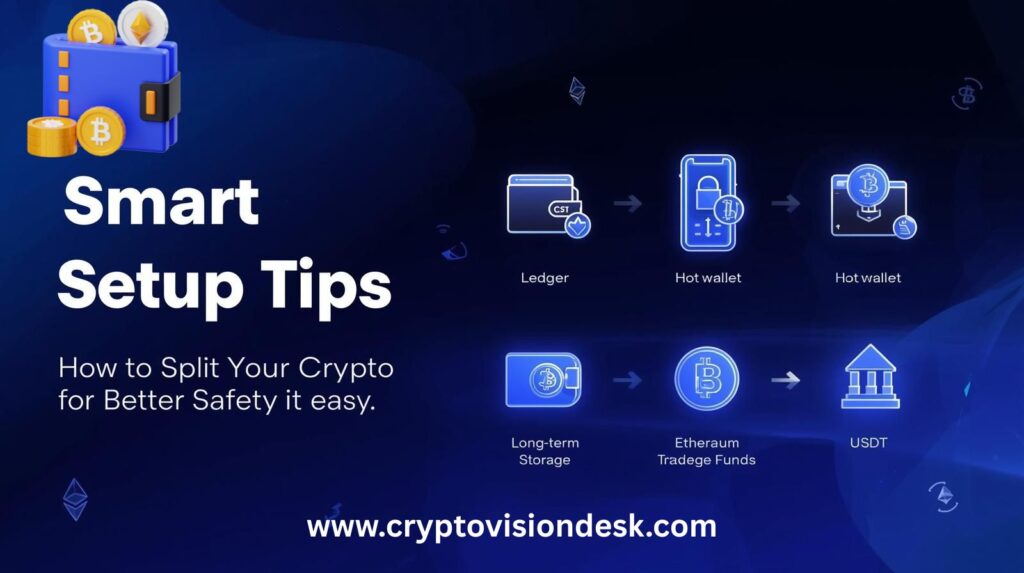
You do not need a complex setup to stay safe. A simple split between “money you use” and “money you store” already cuts a lot of risk. Think of it like having a wallet in your pocket and a safe at home.
This kind of setup is about risk management, not paranoia. You keep small amounts in places that are easy to use, and large amounts in places that are hard to steal.
Use a “Spending Wallet” and a “Savings Wallet”
A good default setup is:
- Spending wallet: a hot wallet on your phone or browser.
- Savings wallet: a hardware wallet for long-term storage.
You use the spending wallet for daily stuff, like:
- Paying friends
- Trying a new dApp
- Swapping a small amount of tokens
- Short-term trades
This wallet stays online, so keep only what you are fine losing or replacing. A simple rule: if it would ruin your week to lose it, move some of it to savings.
Your savings wallet is where the real money lives. This is usually a hardware wallet that:
- Stores your private keys offline
- Needs button presses on the device to send funds
- Connects to your phone or computer only when you use it
You keep this wallet for:
- Long-term holds
- Larger balances
- Assets you do not move often
If your phone is hacked or lost, only the small spending amount is at risk. Your long-term stack sits behind the hardware wallet plus your seed phrase backup, which is a much harder target.
A simple way to start:
- Pick or set up a hot wallet app on your phone.
- Buy a trusted hardware wallet from the official store.
- Decide a rough split, for example:
- 5 to 10 percent of your total in the spending wallet
- 90 to 95 percent in the savings wallet
You can adjust that split over time, but this basic structure gives you both convenience and safety without getting fancy.
Test Small Transactions Before Moving Big Amounts
Crypto addresses are long and unforgiving. If you send funds to the wrong place, there is no “reverse” button. That is why smart users treat every new transfer like a new bank account: you test it first.
Whenever you send money to a new wallet, new exchange, or new network, follow this pattern:
- Double-check the address
- Copy and paste, never type by hand.
- Compare the first few and last few characters with what you see on screen.
- Confirm the network
- Make sure you are on the right chain, for example:
- ETH on Ethereum, not on some random side chain
- USDT on the same network for both sender and receiver
- If the network option looks new or strange, stop and check the help docs first.
- Make sure you are on the right chain, for example:
- Send a tiny test amount
- Move a small amount you are okay losing, just in case.
- Wait until it arrives and shows the right balance on the other side.
- Then move the full amount
- Once the test works, send the bigger transfer.
- For very large sums, you can even do two test steps, small, then medium, then full.
This whole process takes a few extra minutes and a small fee, but it can save you from losing an entire savings stack to a copy-paste mistake or a wrong network choice.
Plan for Emergencies: What If You Lose Your Phone or Hardware Wallet?
Losing a device feels scary, but if you planned ahead, it does not have to be a disaster. The key is your seed phrase backup. If you have it written down and stored safely, you can rebuild your wallet on a new device.
Here is what to do if something goes wrong.
If your phone with a hot wallet is lost, stolen, or broken:
- Stay calm and find your seed phrase backup.
- Get a new phone (or use a spare device).
- Download the same wallet app from the official source.
- Choose “Restore wallet” or “Import wallet” in the app.
- Carefully enter your seed phrase, in the correct order.
- Set a strong password or PIN for the app on the new device.
Once restored, your balances and addresses will reappear, since they live on the blockchain, not on the device.
If your hardware wallet is lost or damaged:
- Do not panic, the device itself does not hold the only copy of your funds.
- Get a new hardware wallet from the official store.
- During setup, select the option to restore an existing wallet.
- Enter the same seed phrase you wrote down when you first set it up.
- Set a new PIN and, if you used one before, add your passphrase.
Your coins will still be there, because they are tied to your keys and seed phrase, not to that specific piece of plastic.
There is one big warning here:
If someone else gets your seed phrase, they can restore your wallet on their device and sweep all your funds. That is why:
- You never store it in the cloud.
- You never share it with “support” or friends.
- If you think someone may have seen it, you move your funds to a brand-new wallet with a brand-new seed phrase as soon as you can.
Planning for a lost phone or broken device is part of good risk management. When you know you can restore from your seed phrase, you get peace of mind without giving up control of your coins.
Conclusion
Keeping your crypto safe starts with a few basics: understand what a wallet really is, pick the right type for your needs, protect your seed phrase, avoid obvious scams, and split your funds between a small spending wallet and a safer long-term savings wallet. When you treat your seed phrase like cash, use a hot wallet only for day-to-day amounts, and keep larger holdings on a hardware wallet, you remove most of the risk that hurts new users.
Take one or two quick steps today, not someday. Back up your seed phrase properly if you have not yet, or move a chunk of your savings off an exchange into a hardware wallet you control. With those simple habits in place, crypto can be very safe, even if you are just getting started.